- Home
- Help
User Rank
Registered users with real name verification for accessing the website are classified into two ranks: Noraml users and Upgraded users. The daily quota for data access varies with different user ranks.
| Rank | Normal user | Upgraded user |
|---|---|---|
| Registration | Via E-mail: iusc_nsmc@cma.cn. | By the annual FengYun Data Service Survey. |
| Real name verification | required | required |
| Daily quota of data size | 30GB | 100GB |
| Daily quota of file count | 30,000 | 100,000 |
| Daily quota of order subscriptions | 100 | 100 |
User Registration
According to the requirements of the China Meteorological Administration, please fill out the " FengYun Satellite Data Requirement Form" for personal registration in order to download all data published on the FENGYUN Satellite Data Service.
Please send the completed form to this email.
After registration, the information you filled in will be reviewed, and the review is usually completed within 7 working days.
If you have any questions regarding registration or login, please consult through the following methods:
E-mail: iusc_nsmc@cma.cn
Data Access
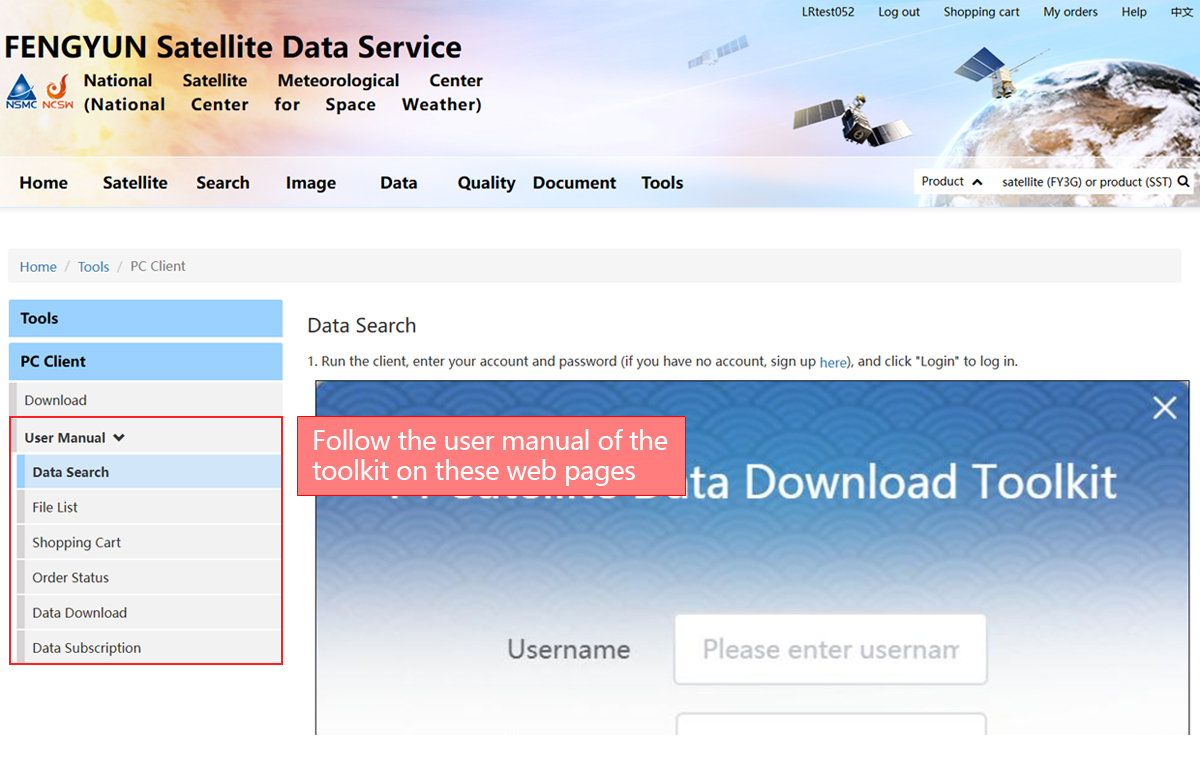
Service Information
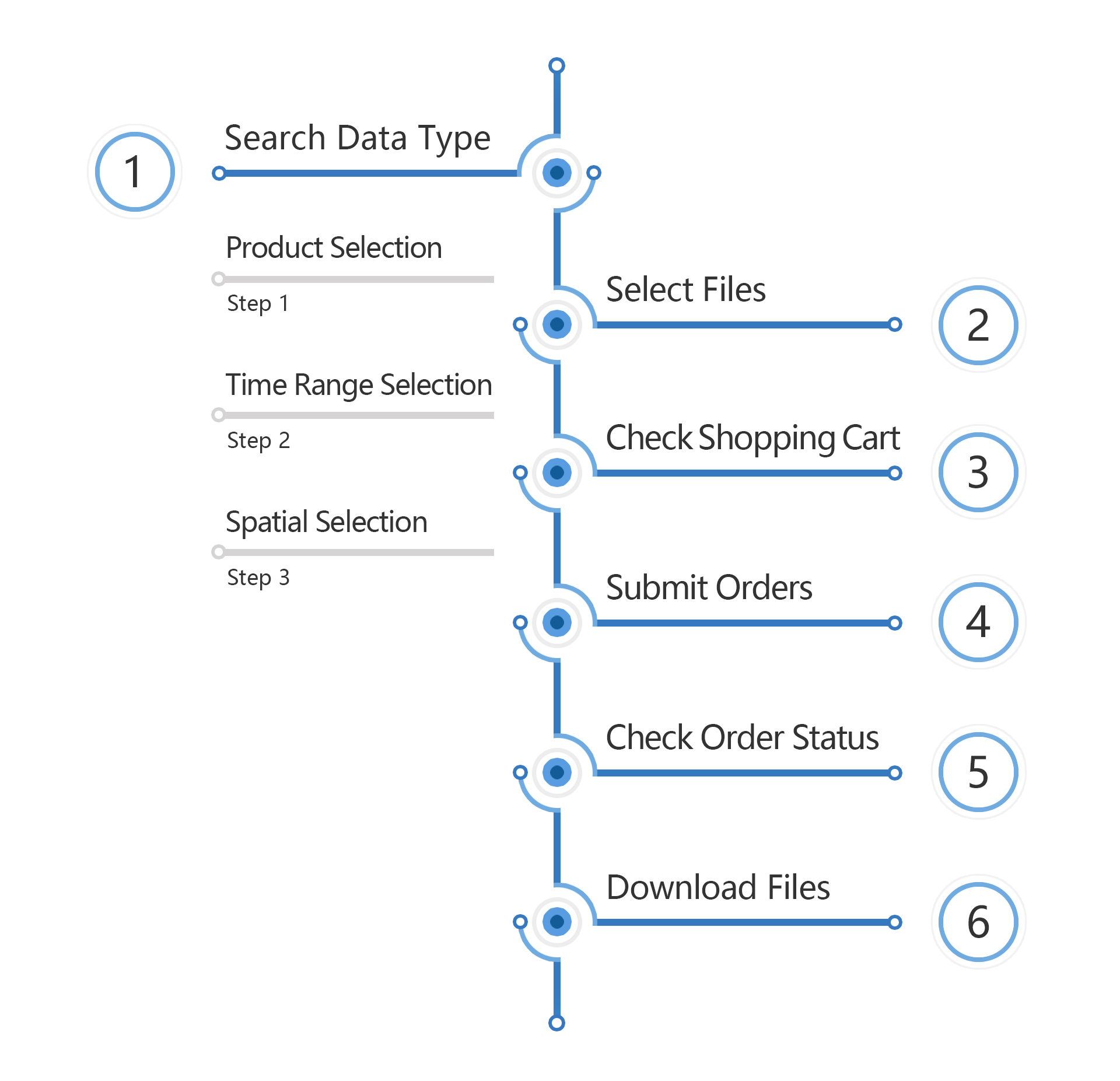
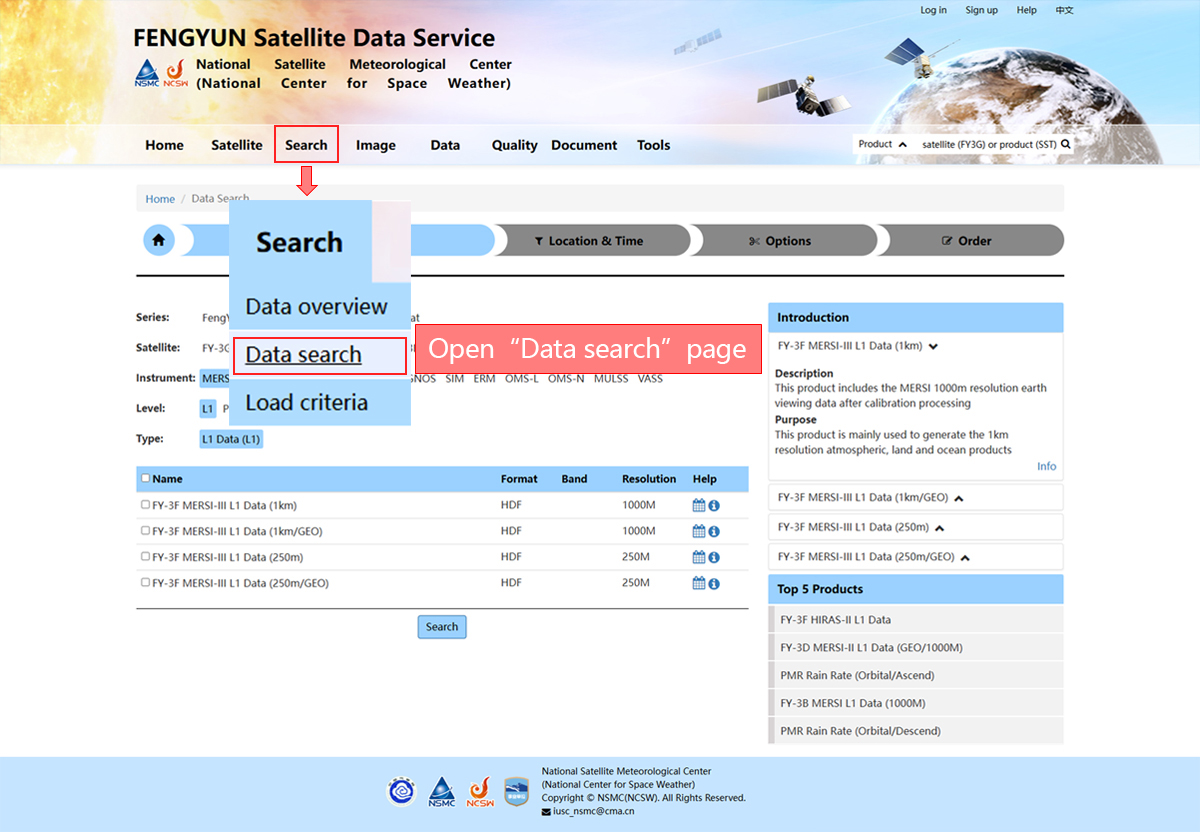
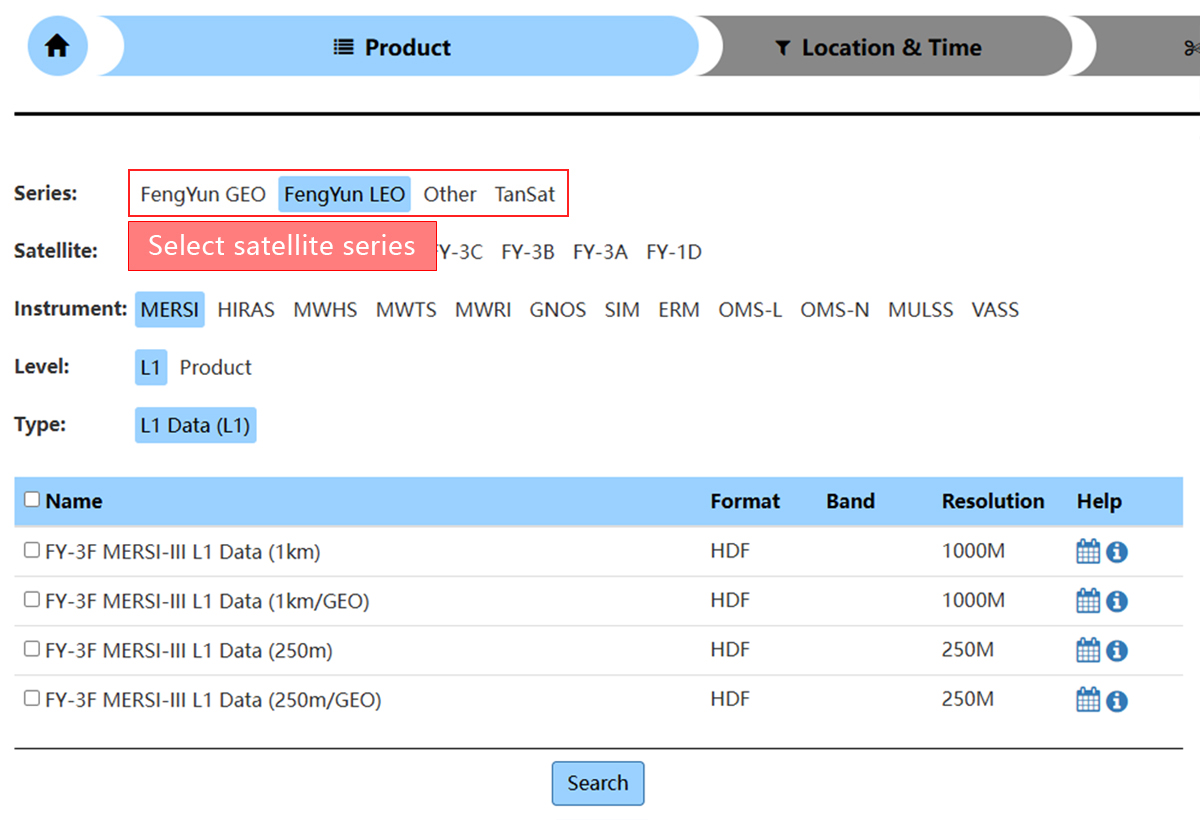
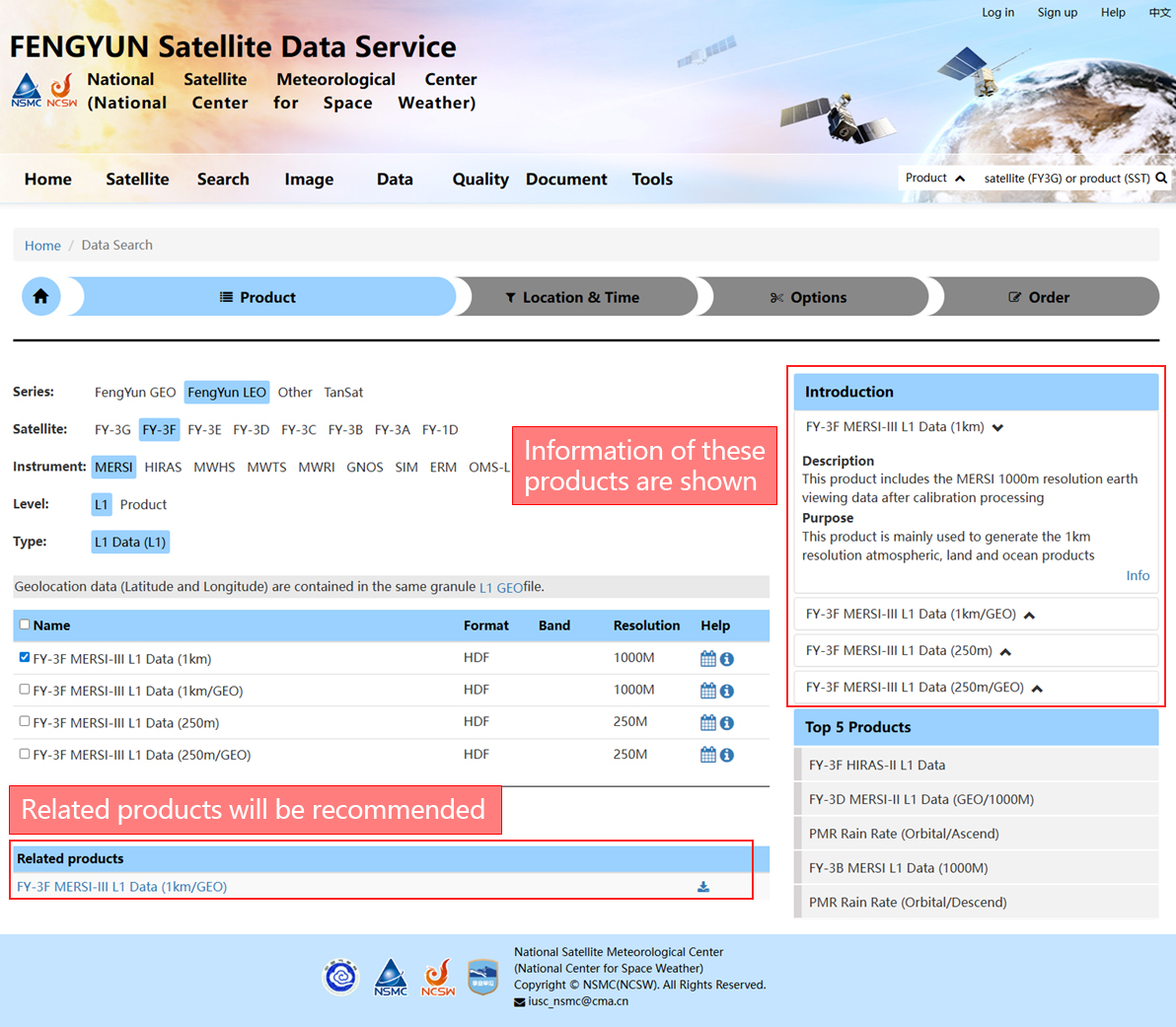
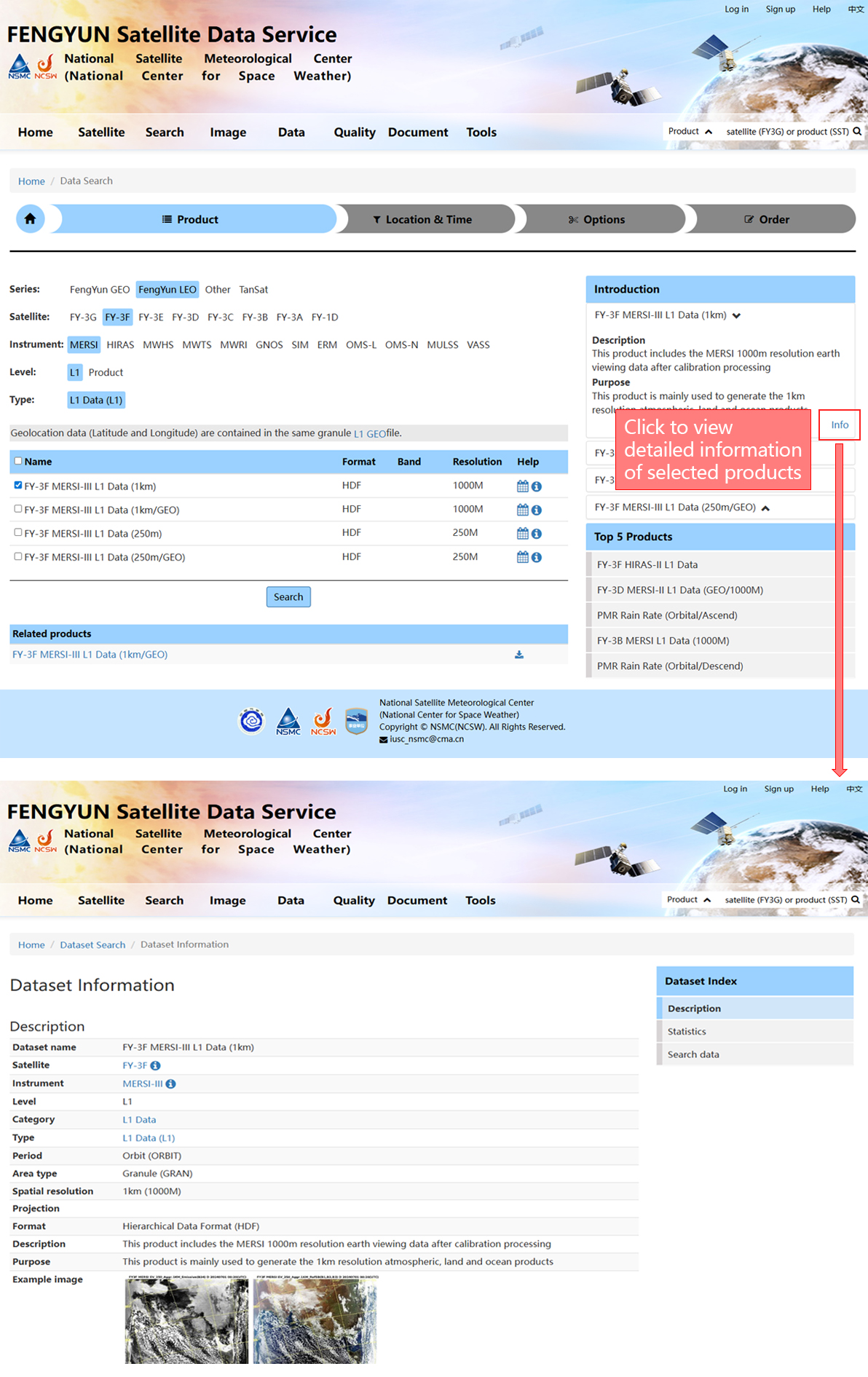
Product Selection
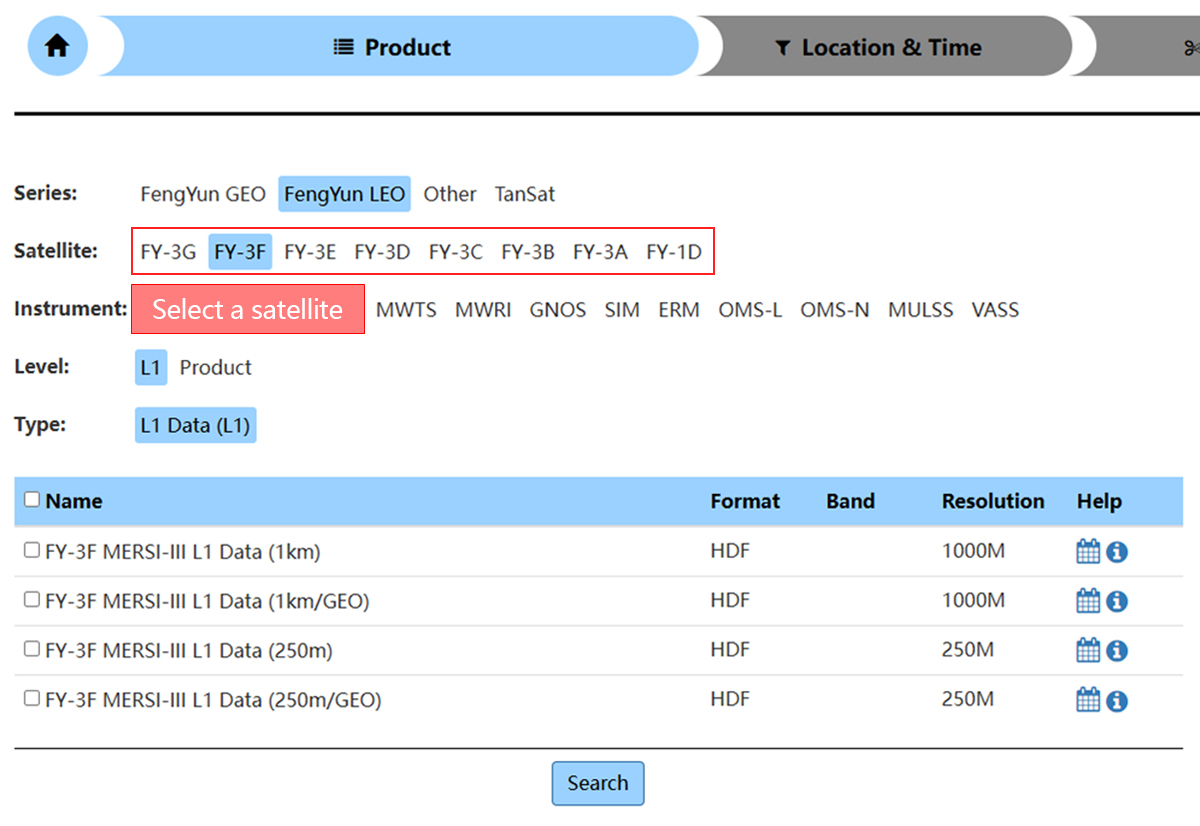
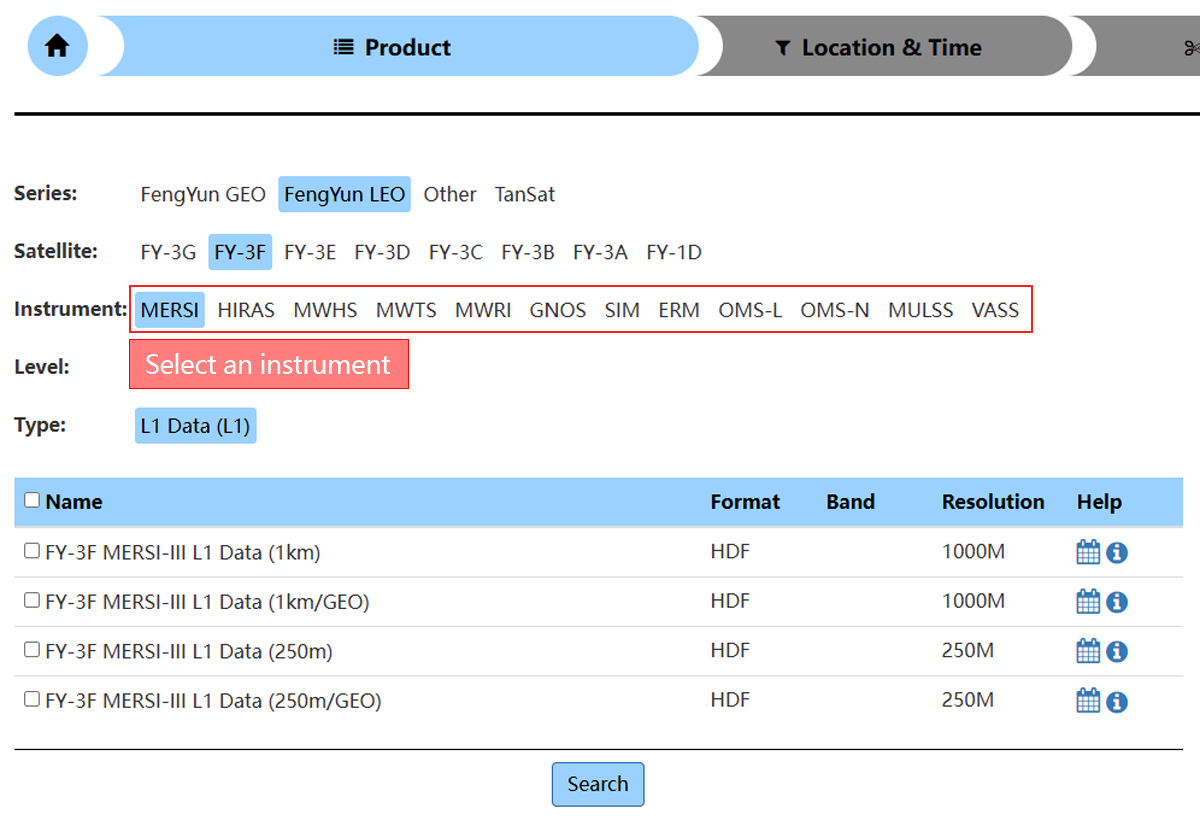
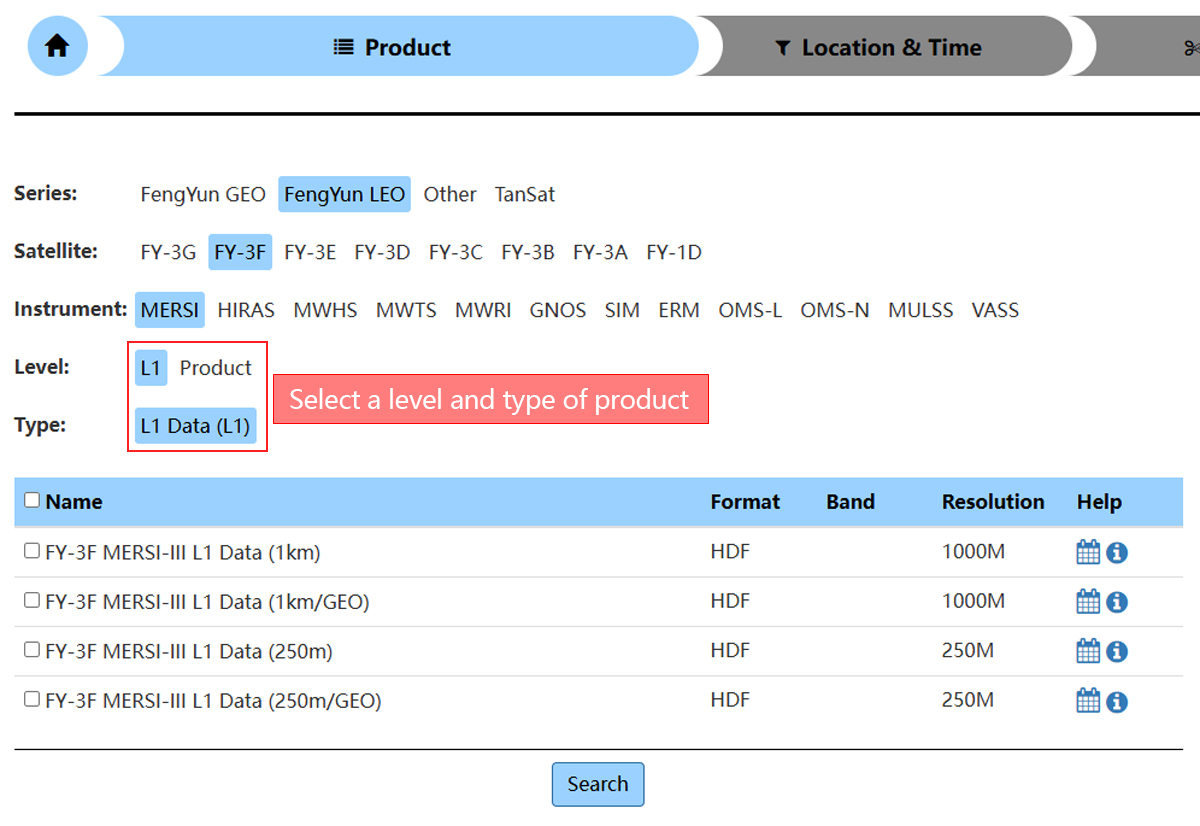
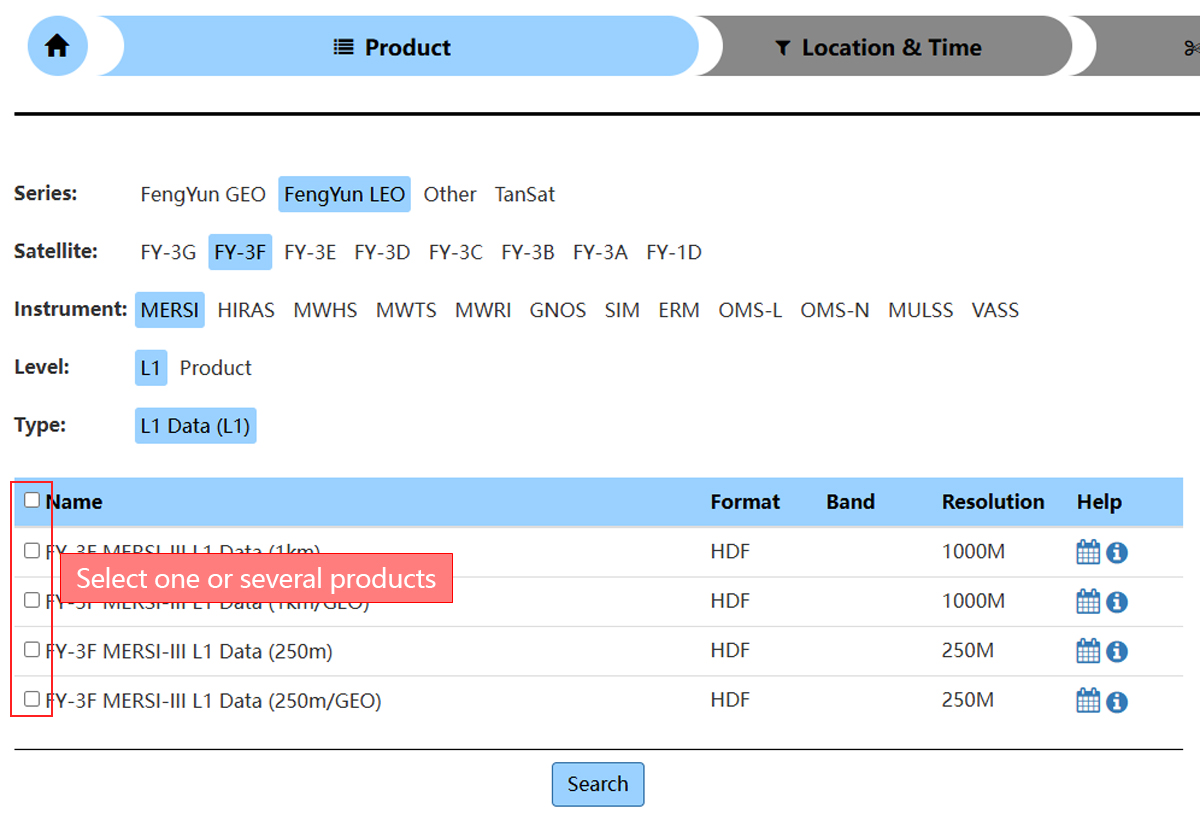
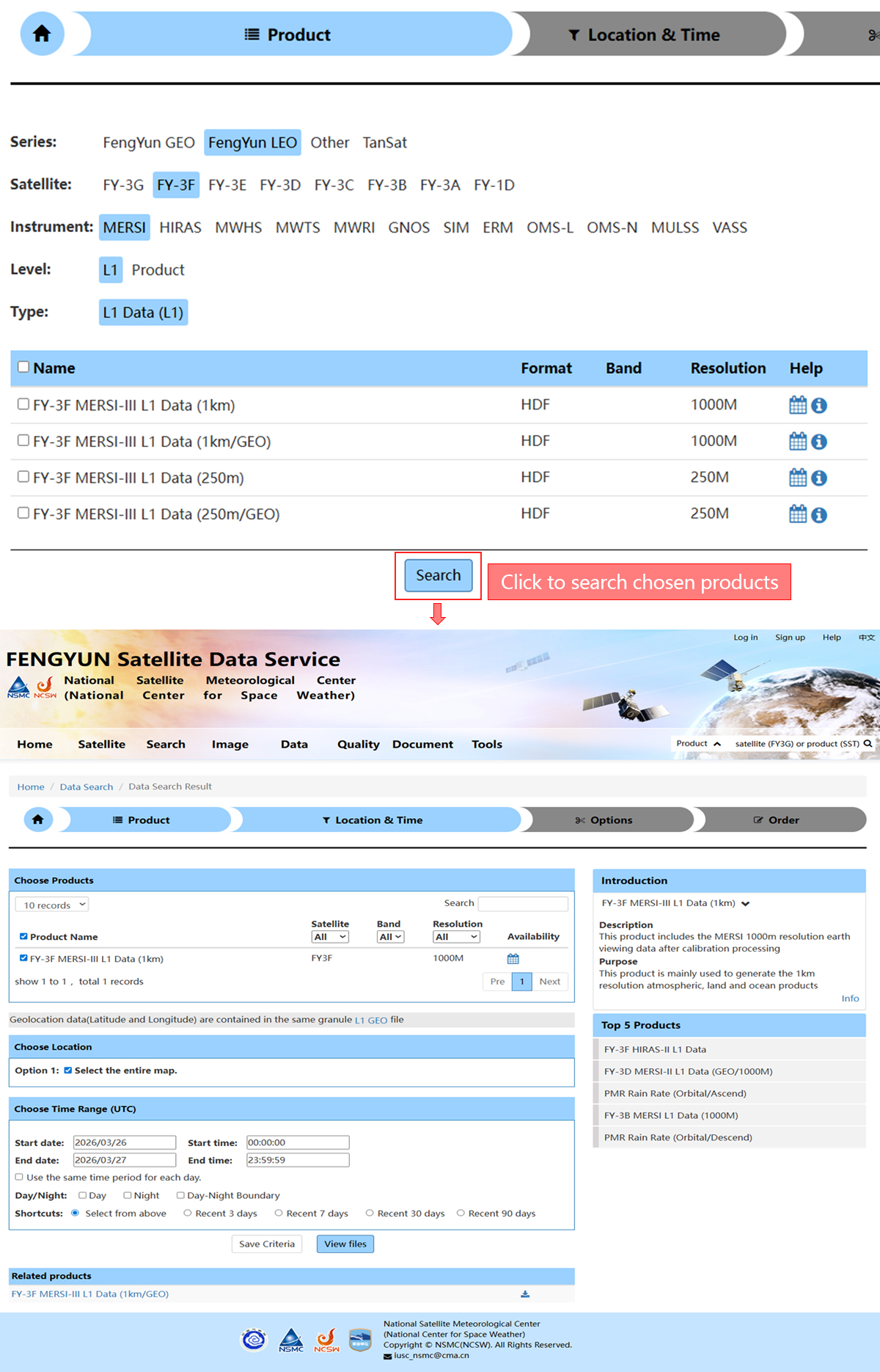
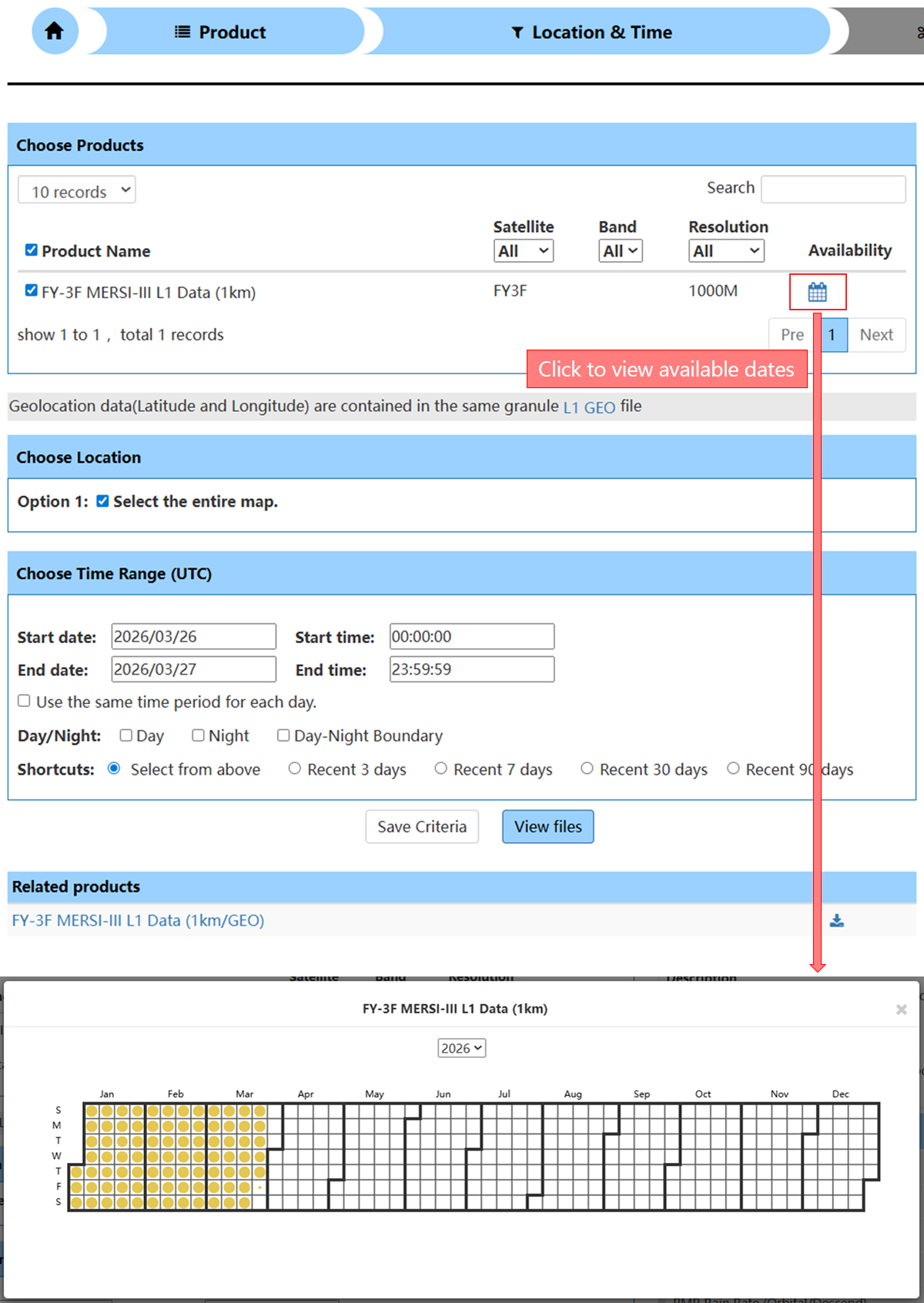
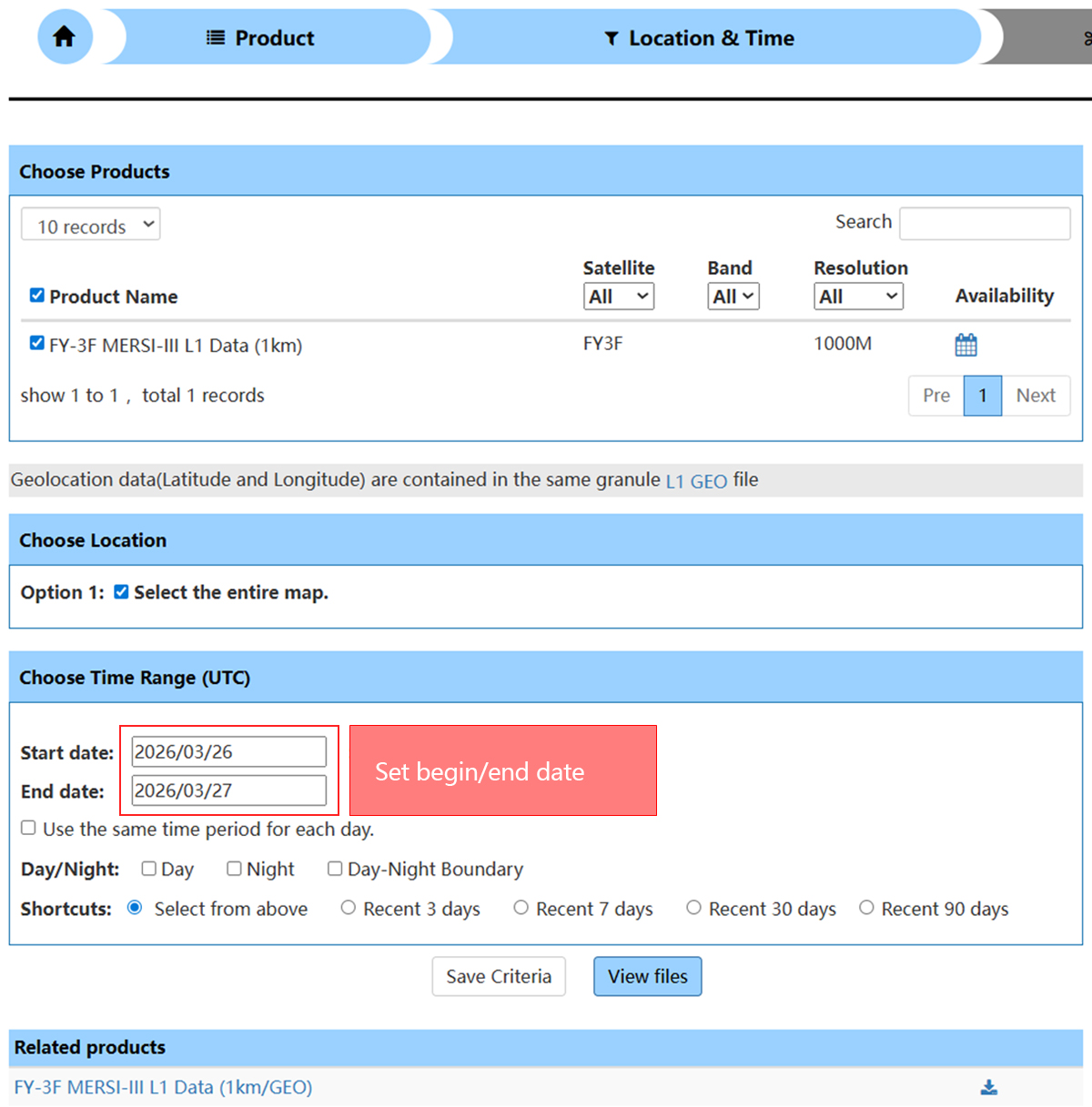
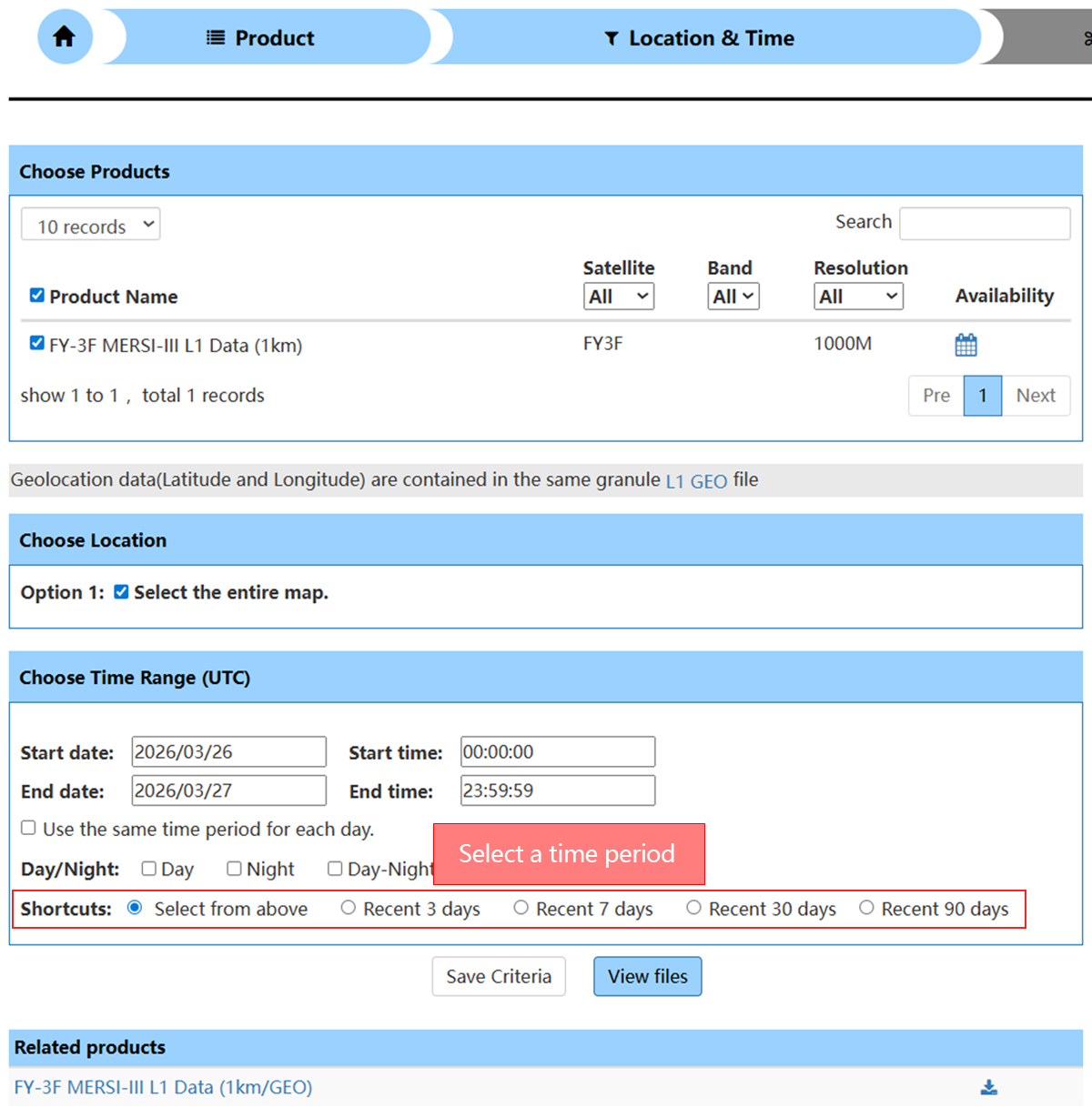
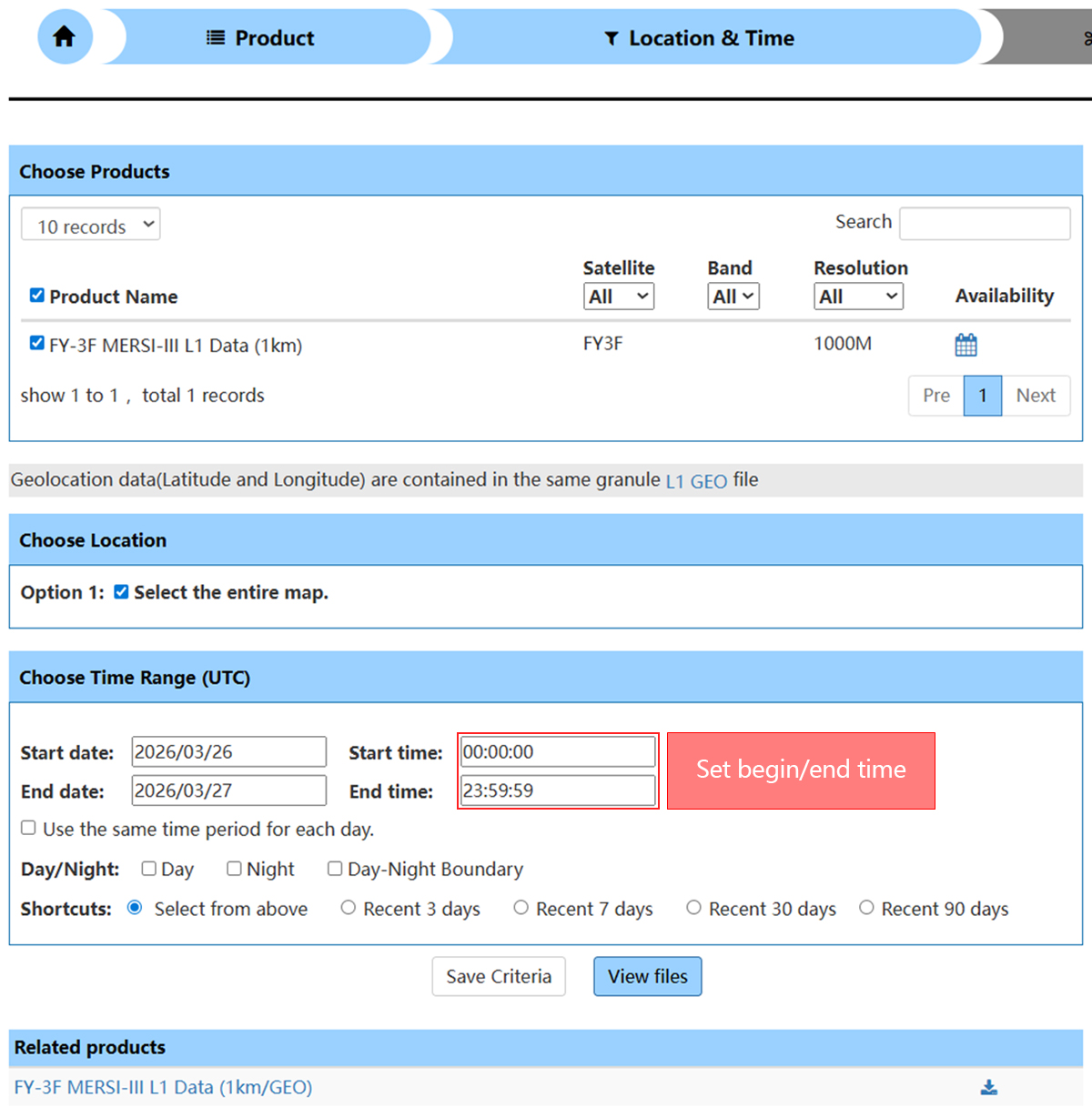
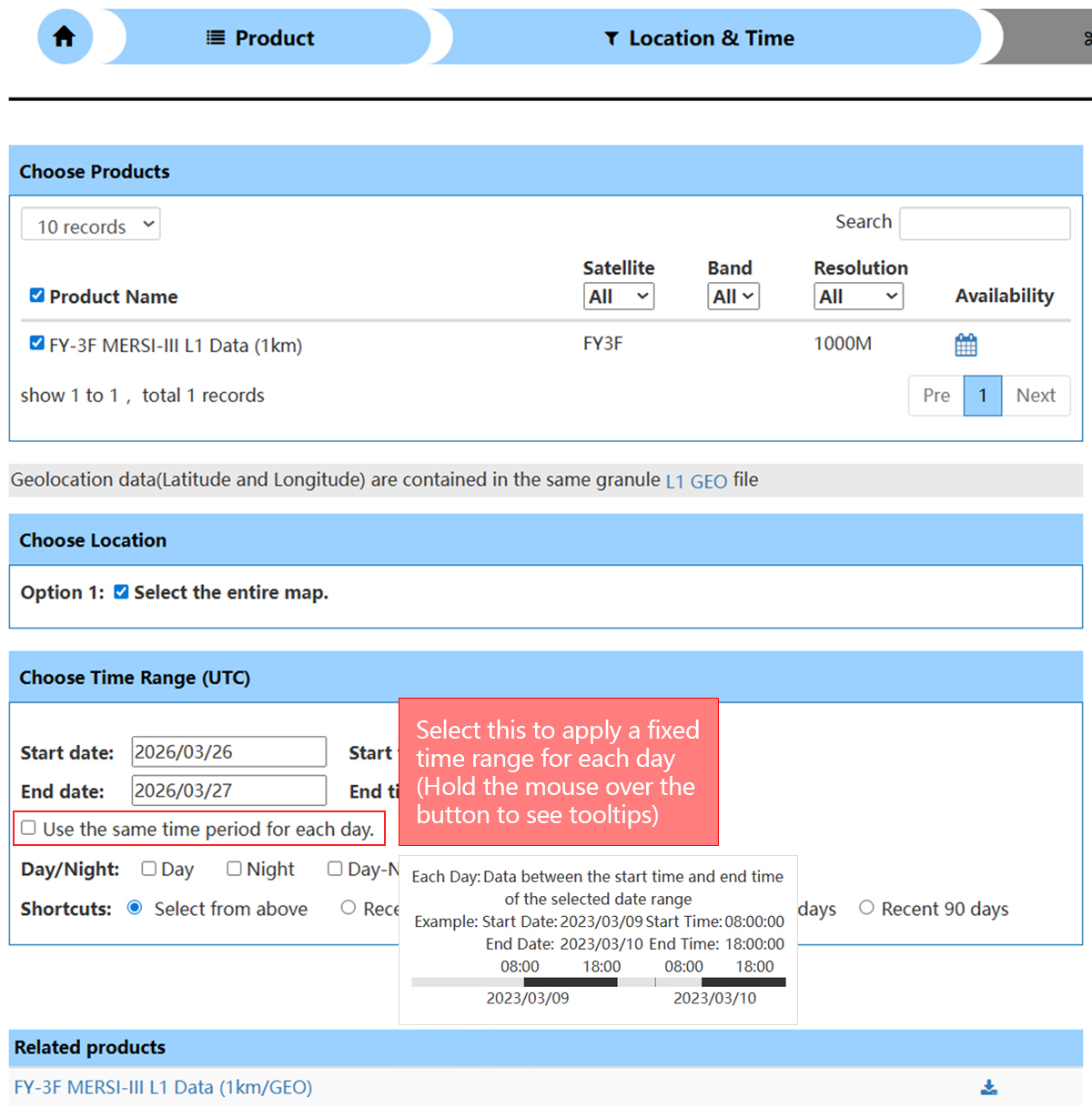
Time Range Selection
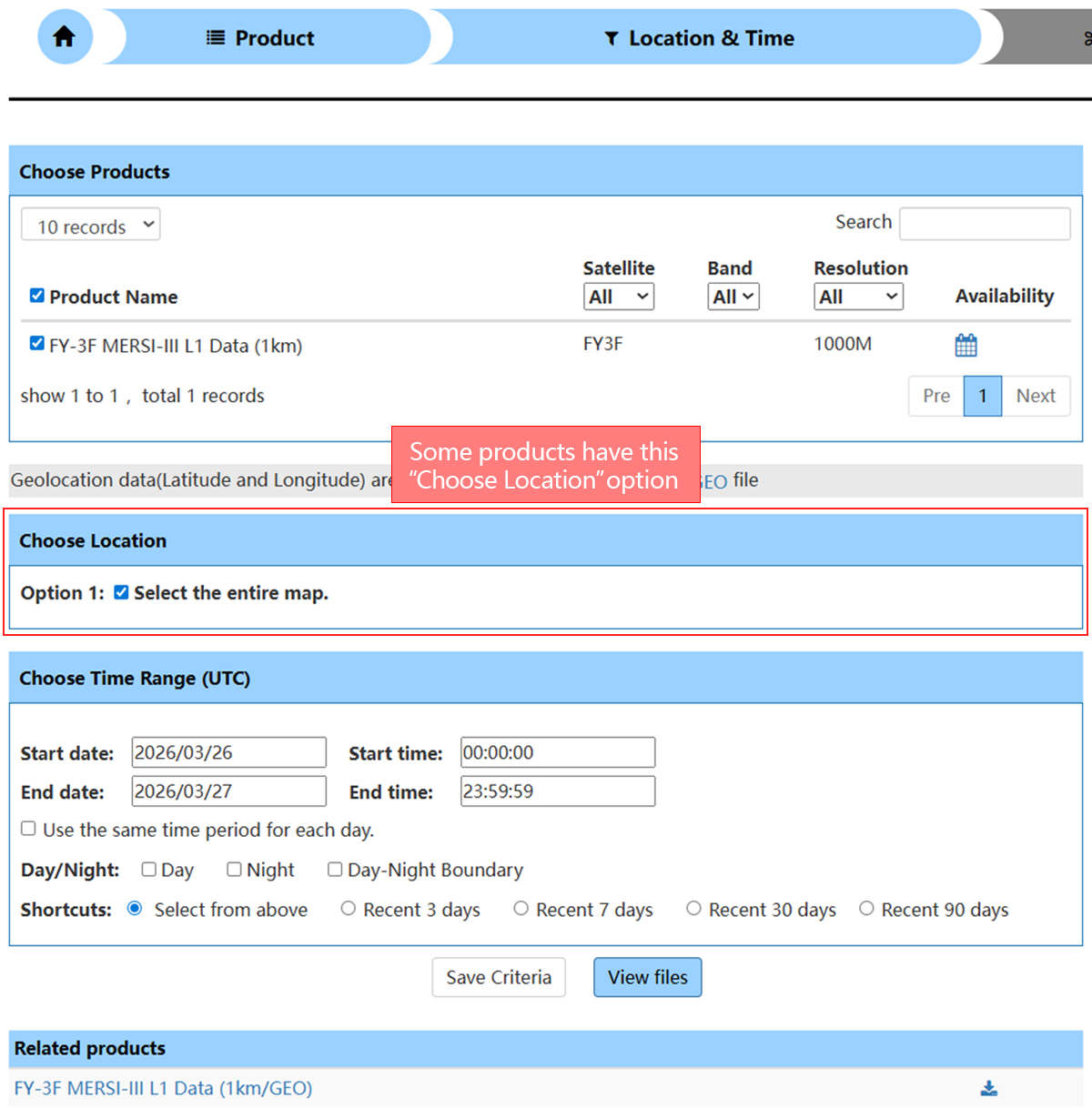
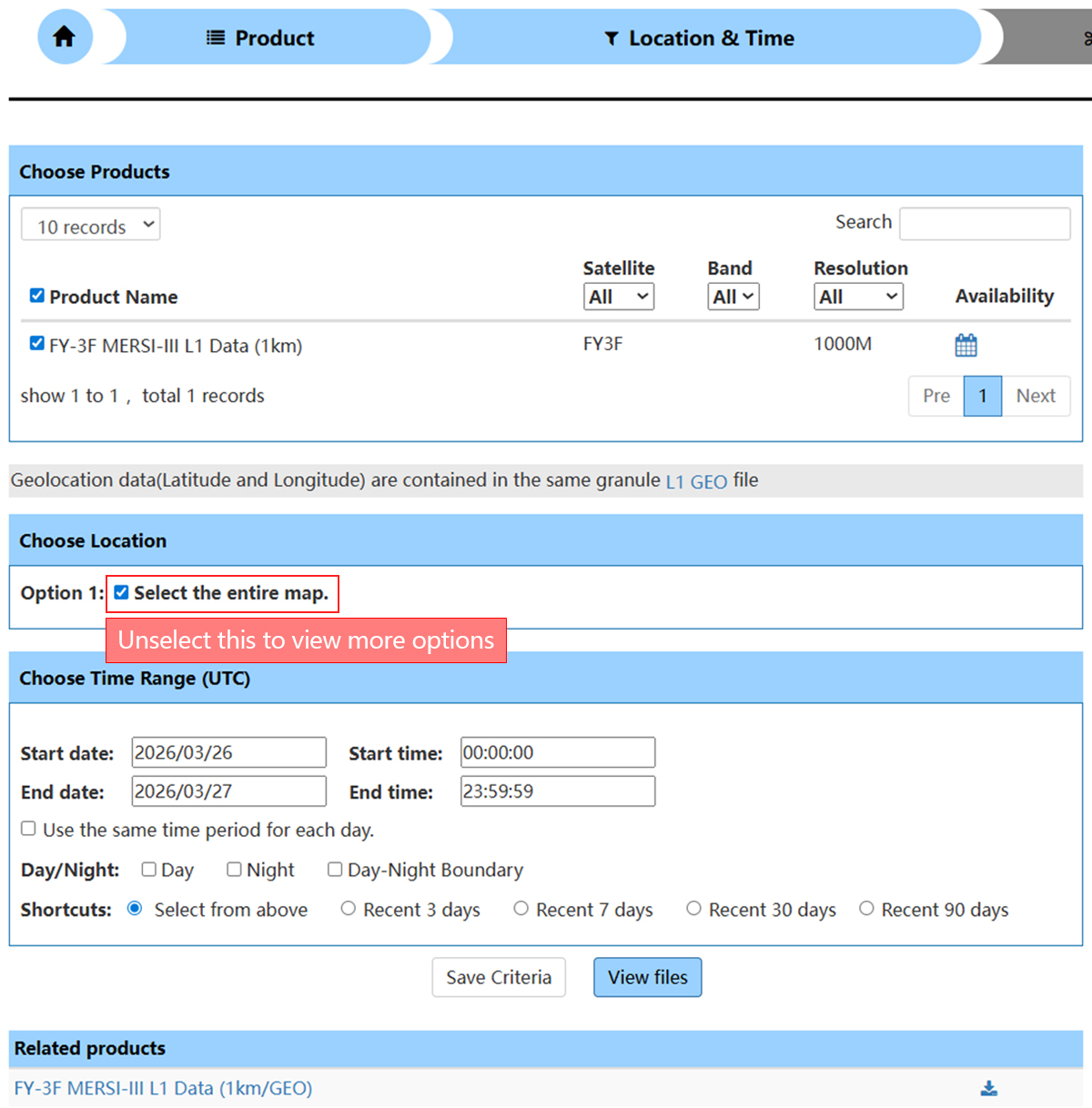
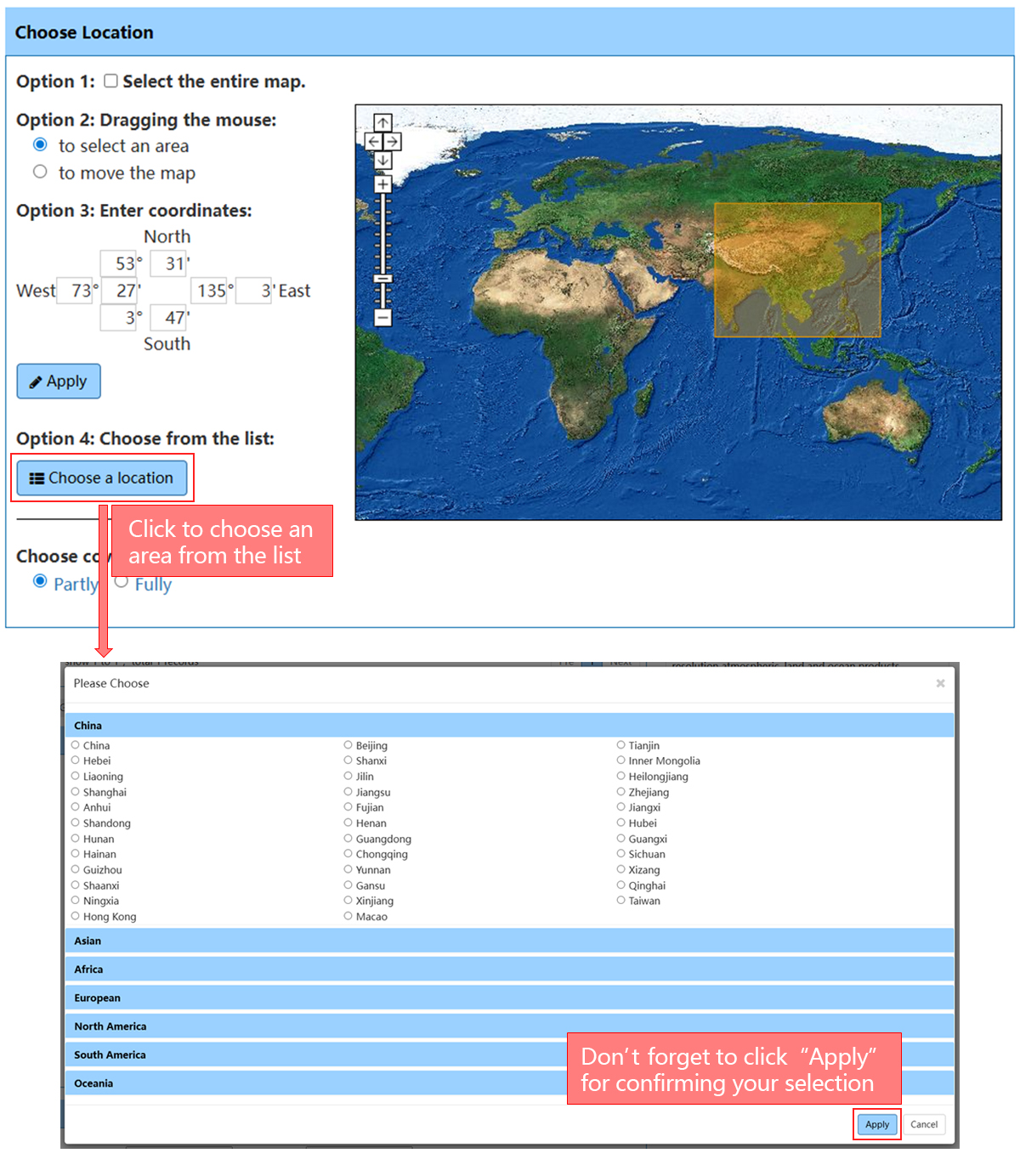
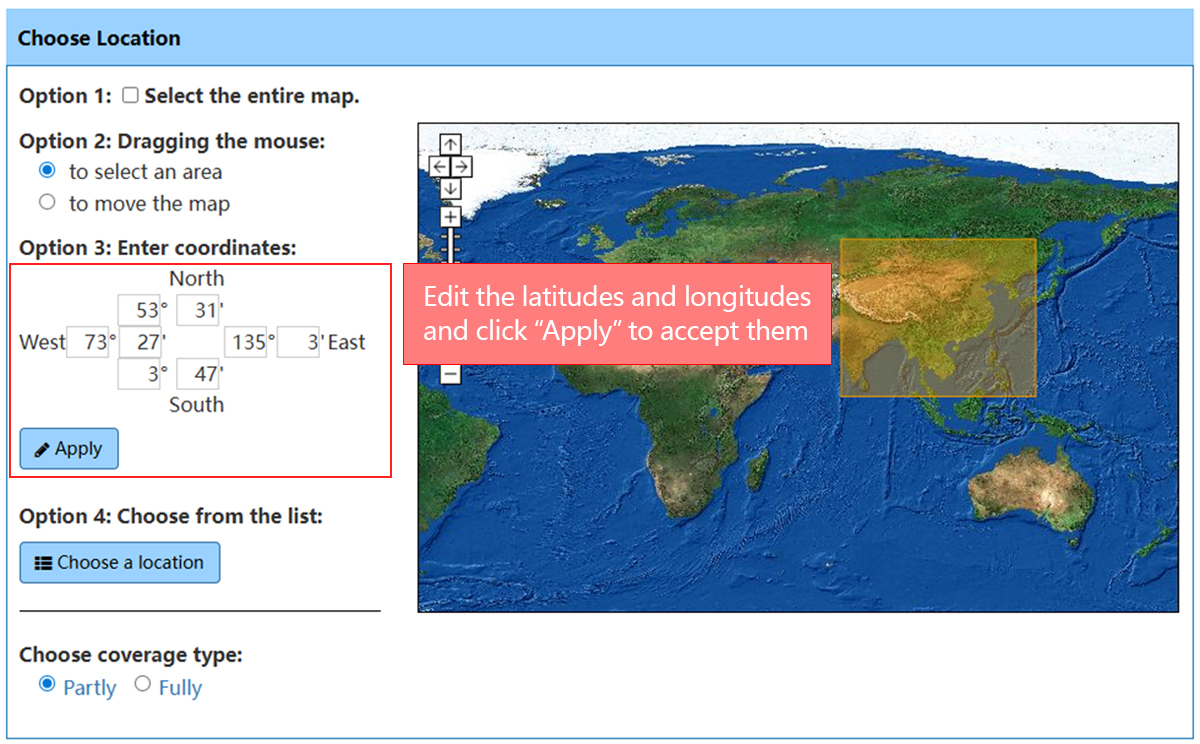
Spatial Selection
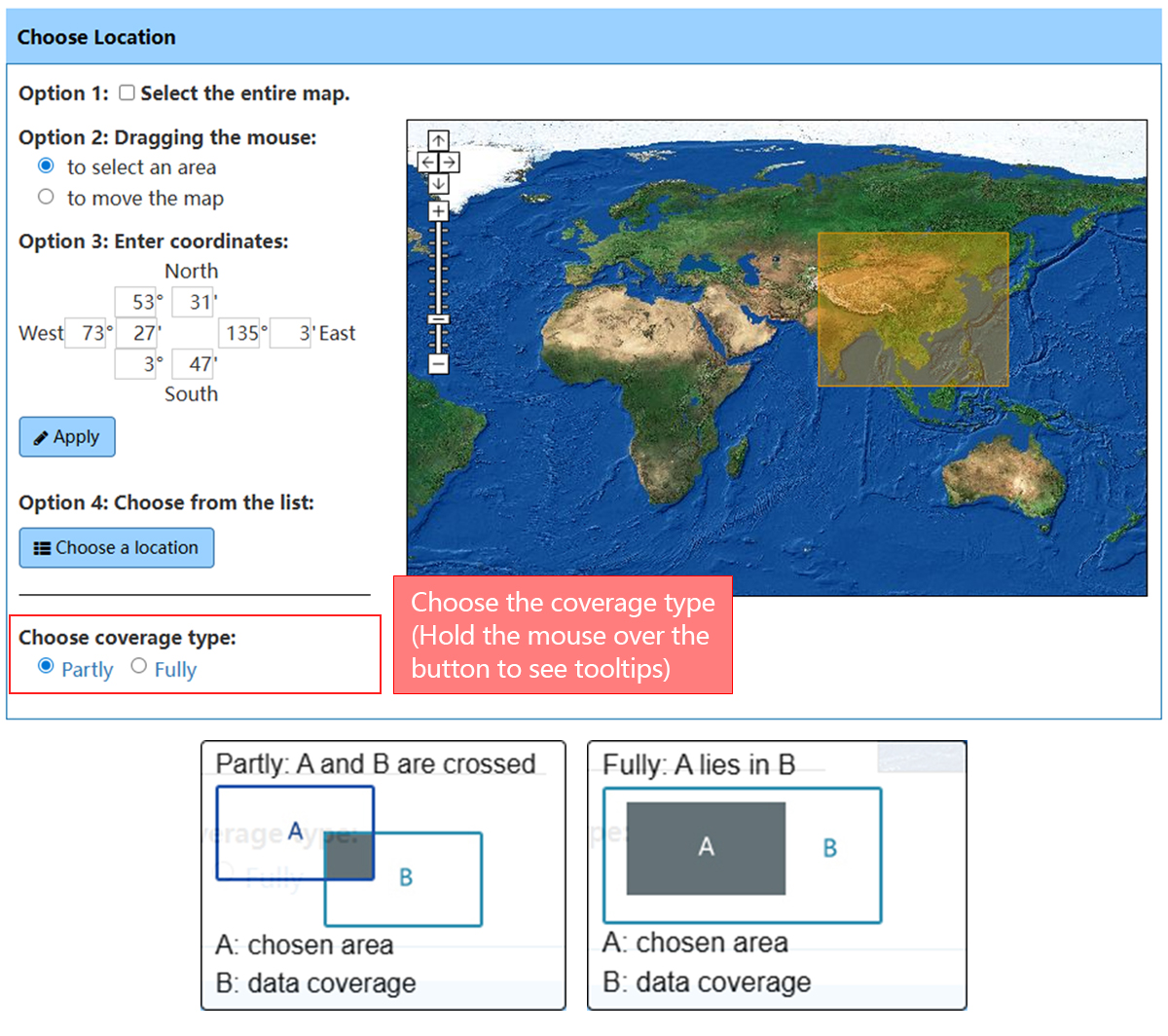
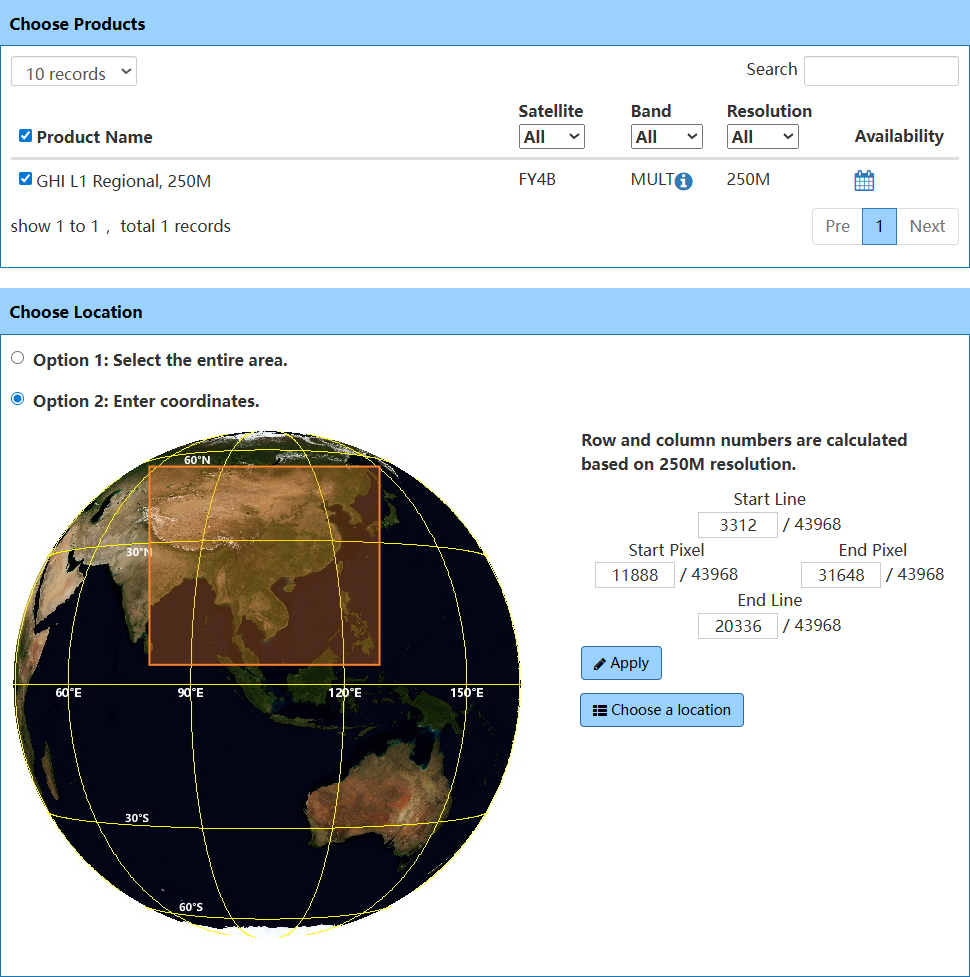
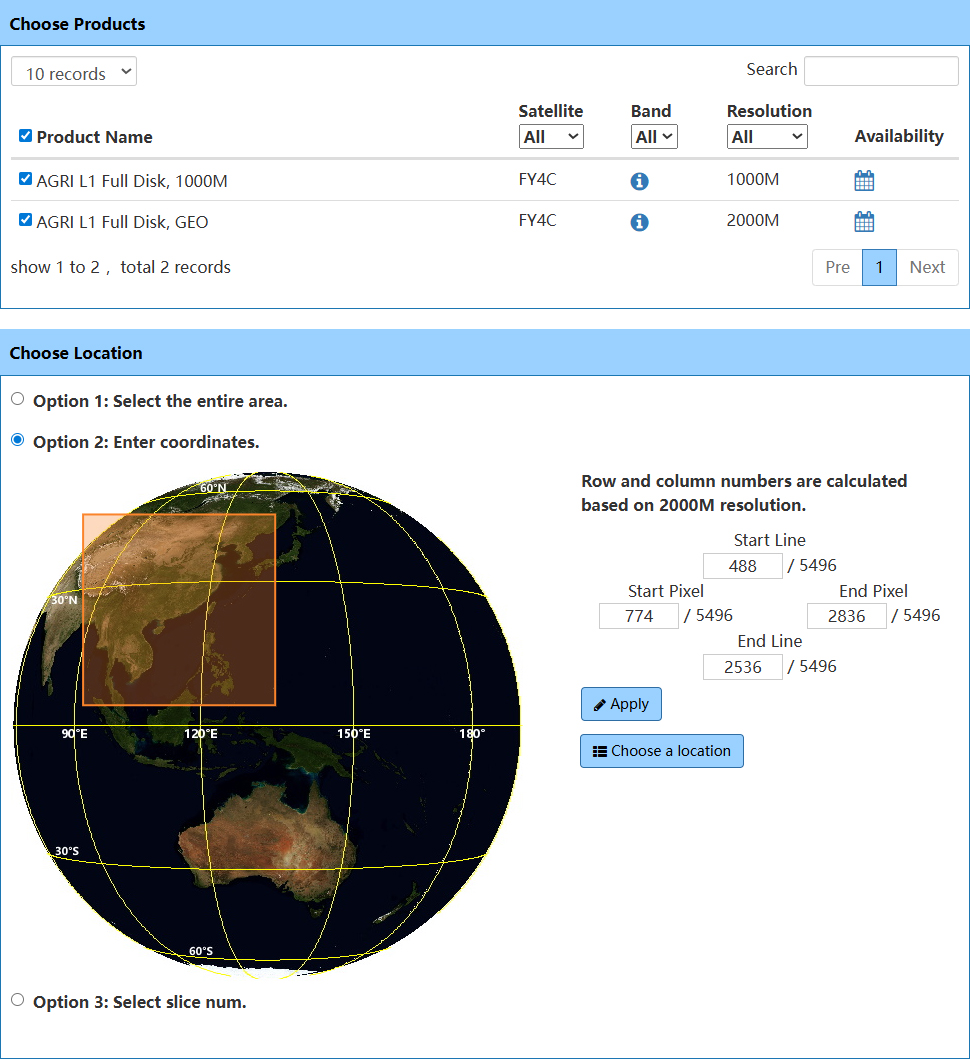
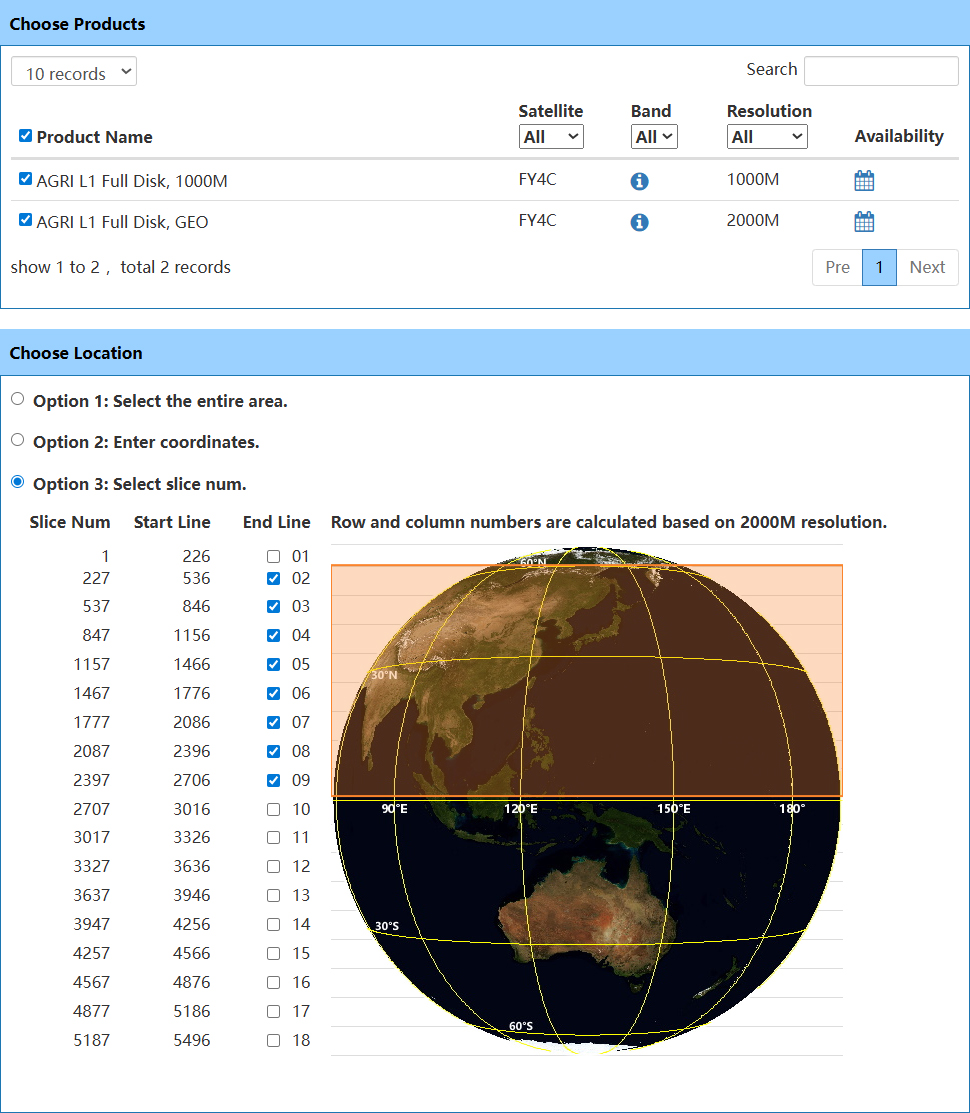
Select Files
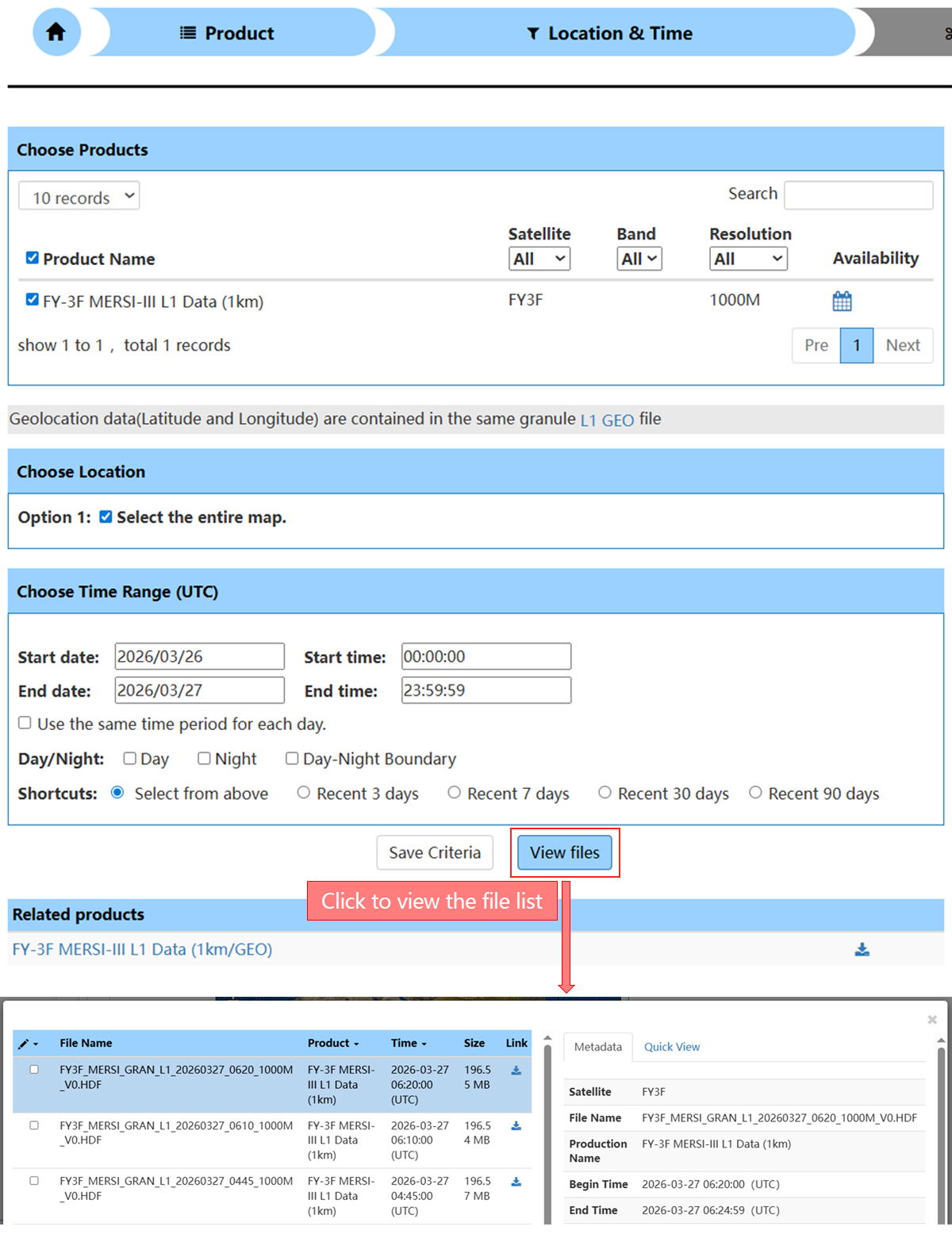
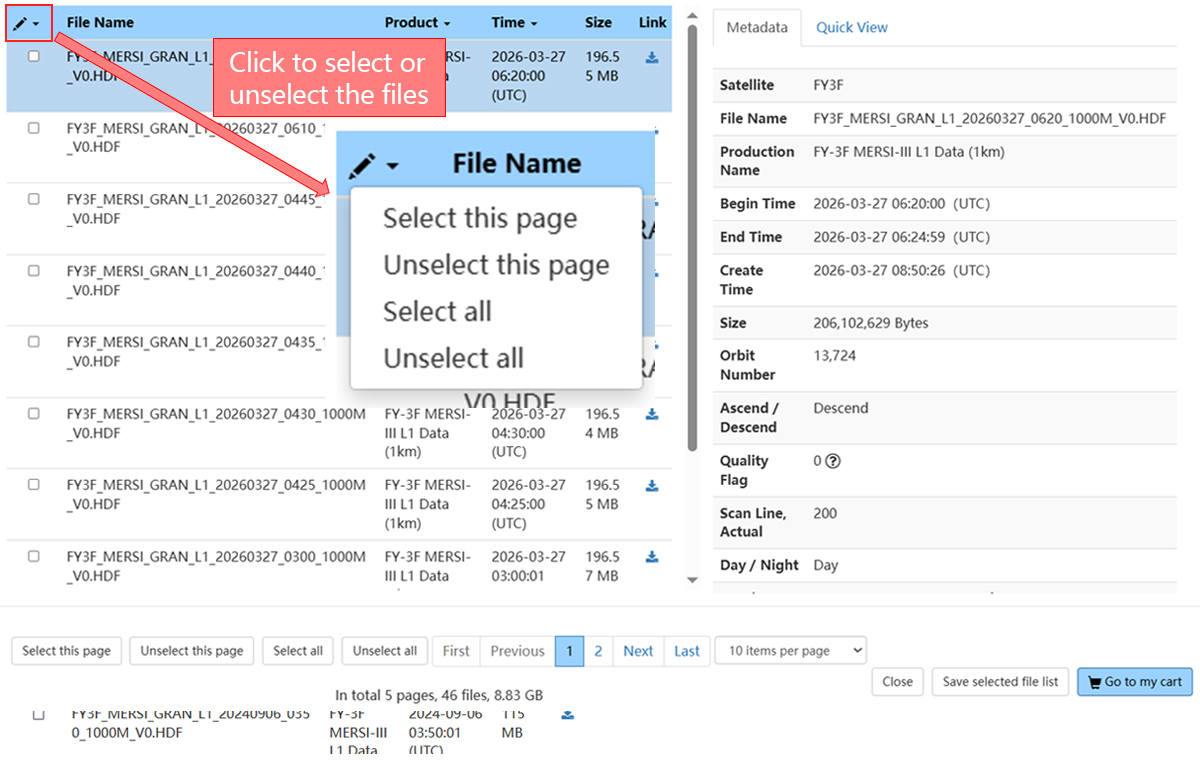
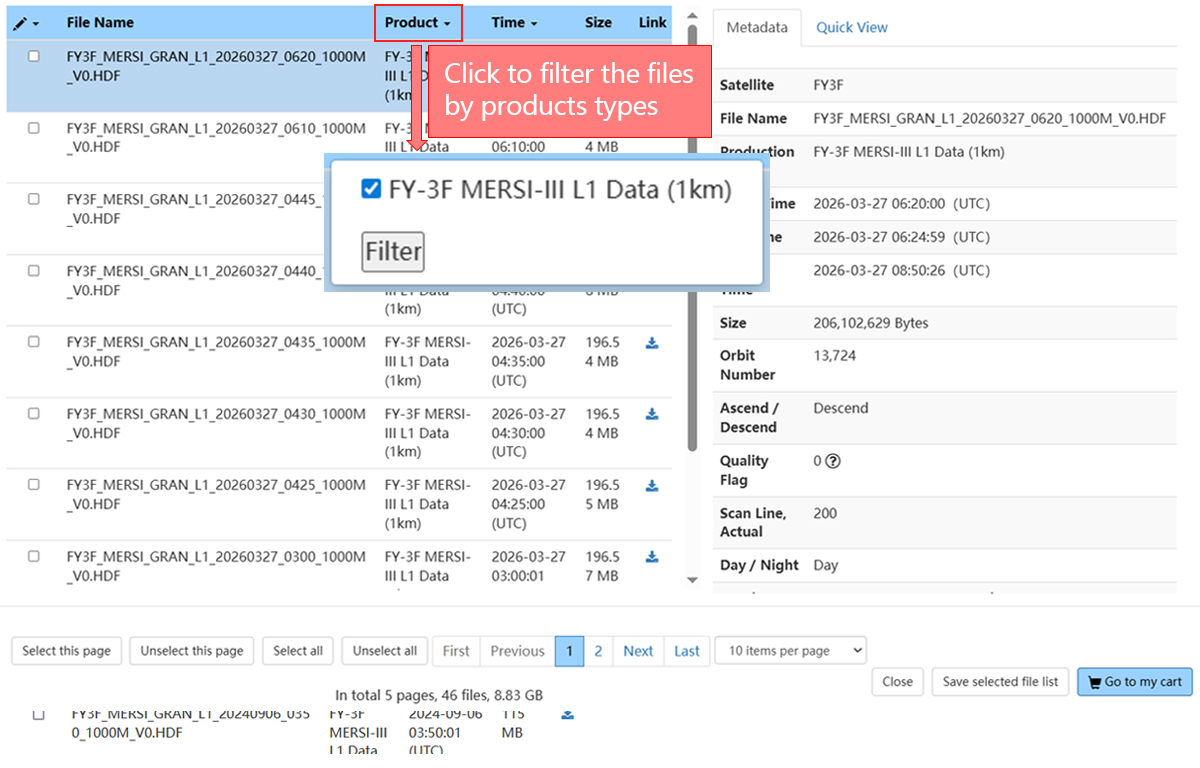
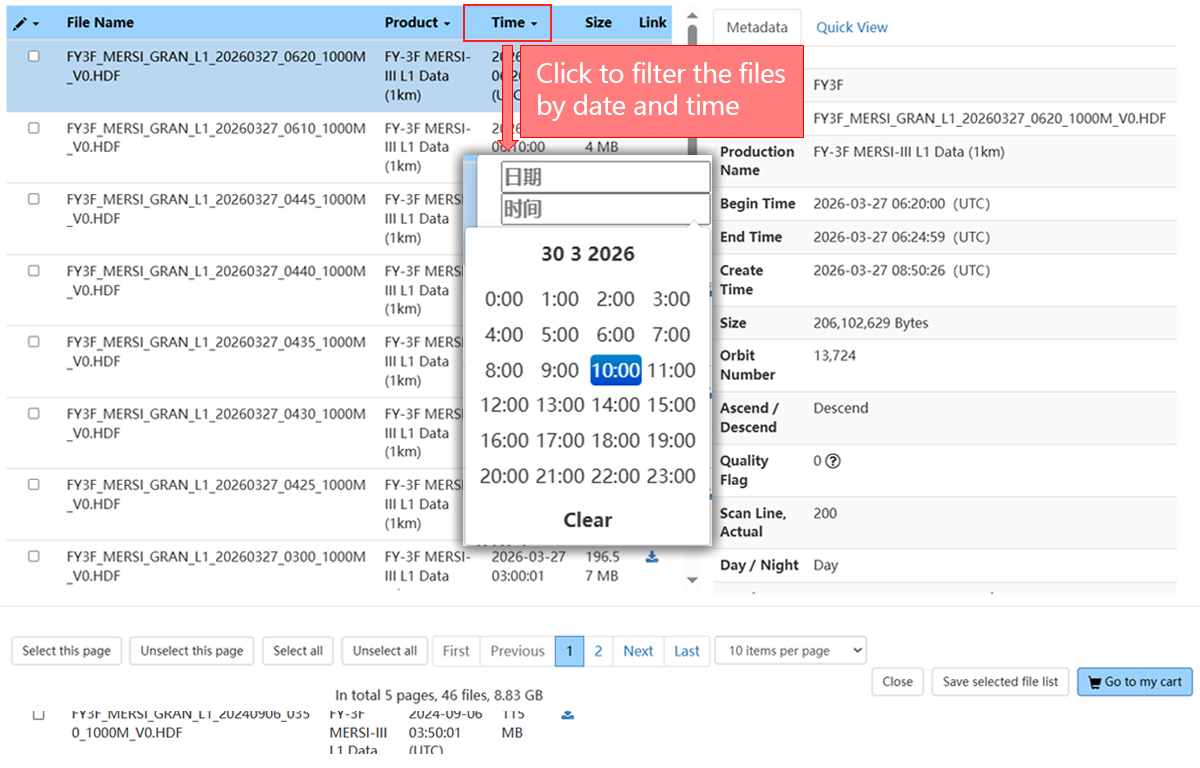
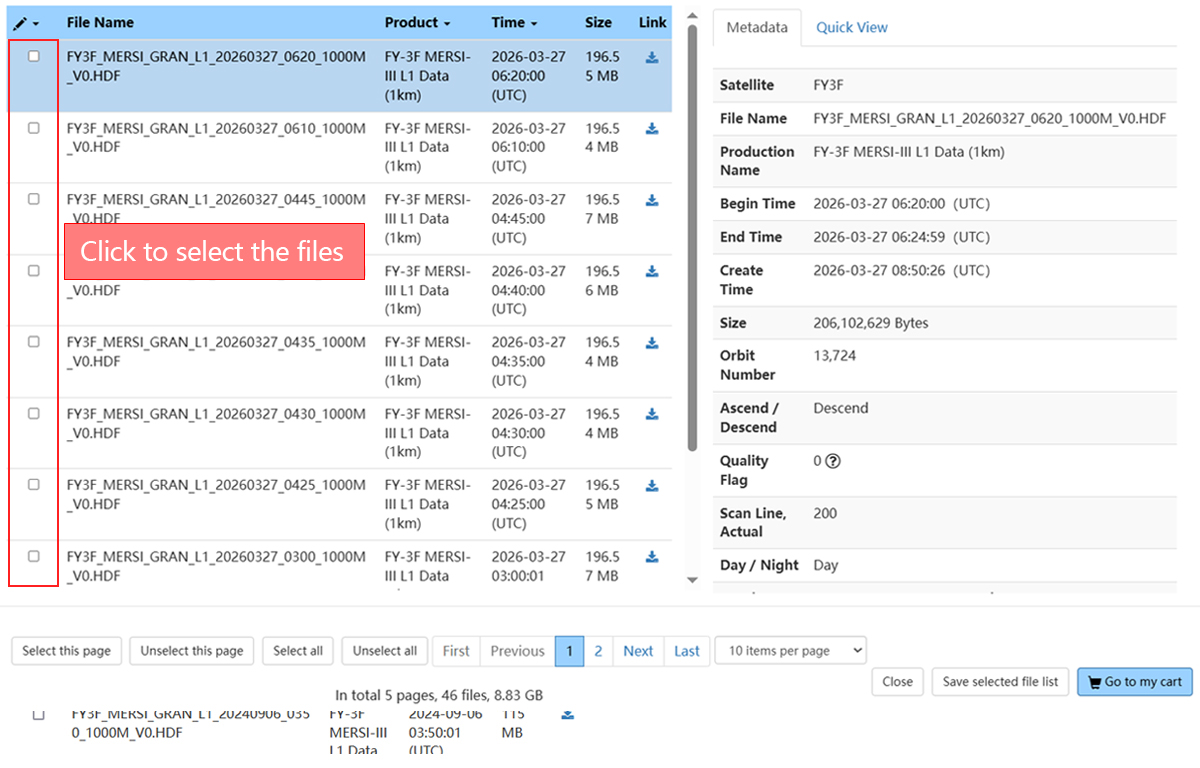
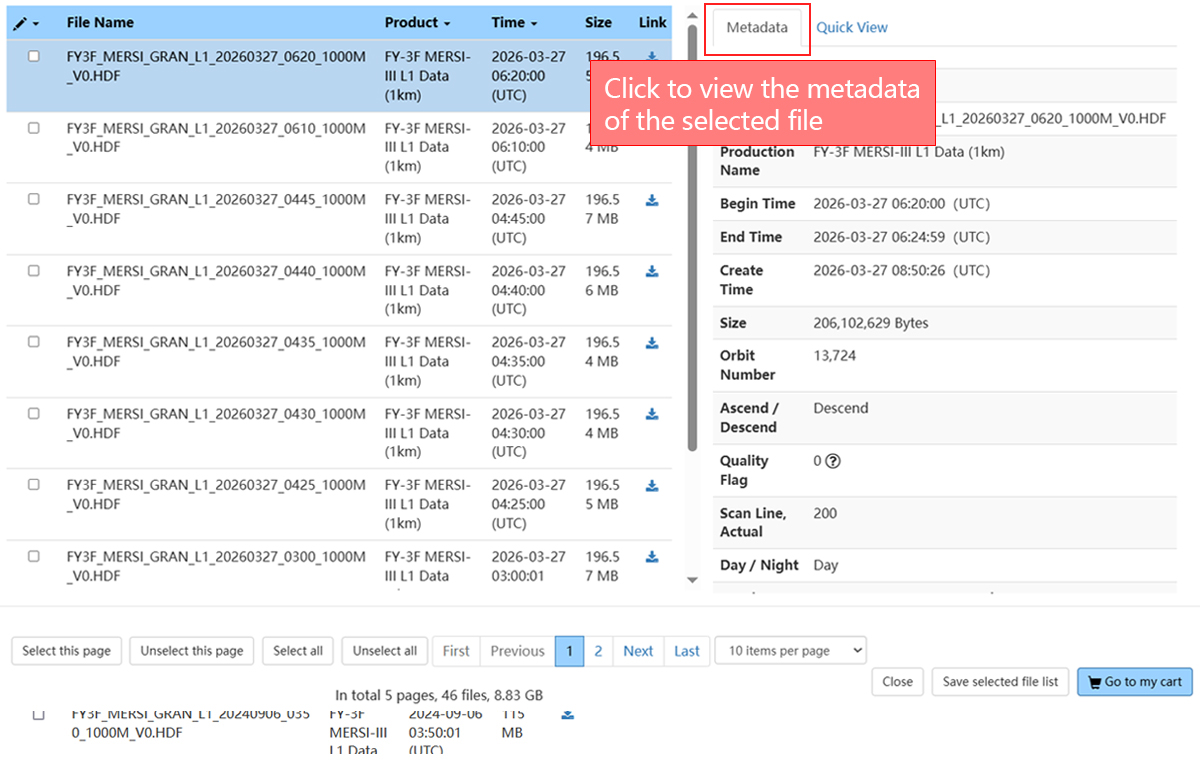
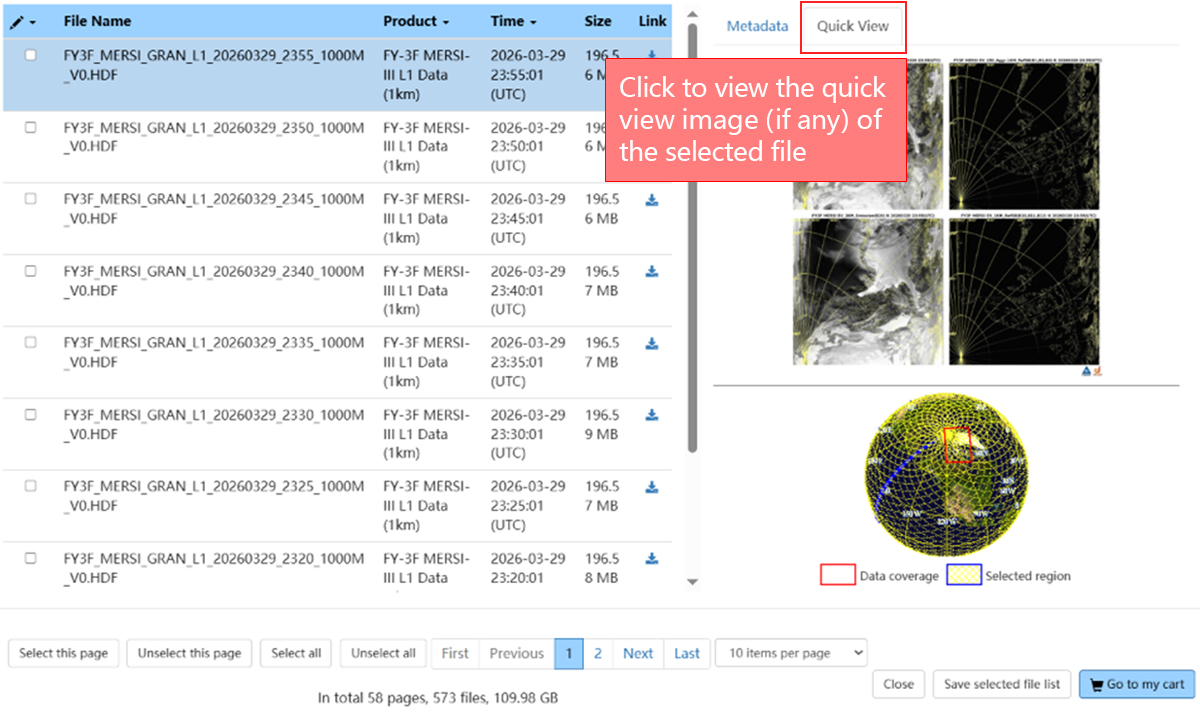
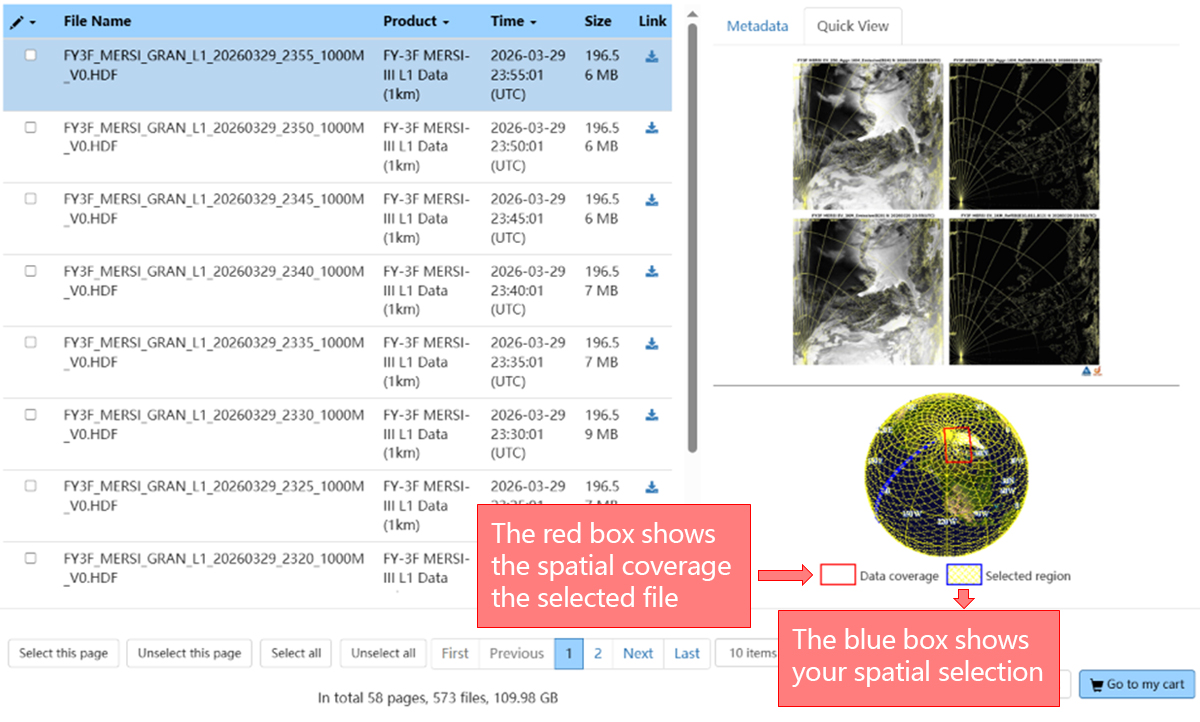
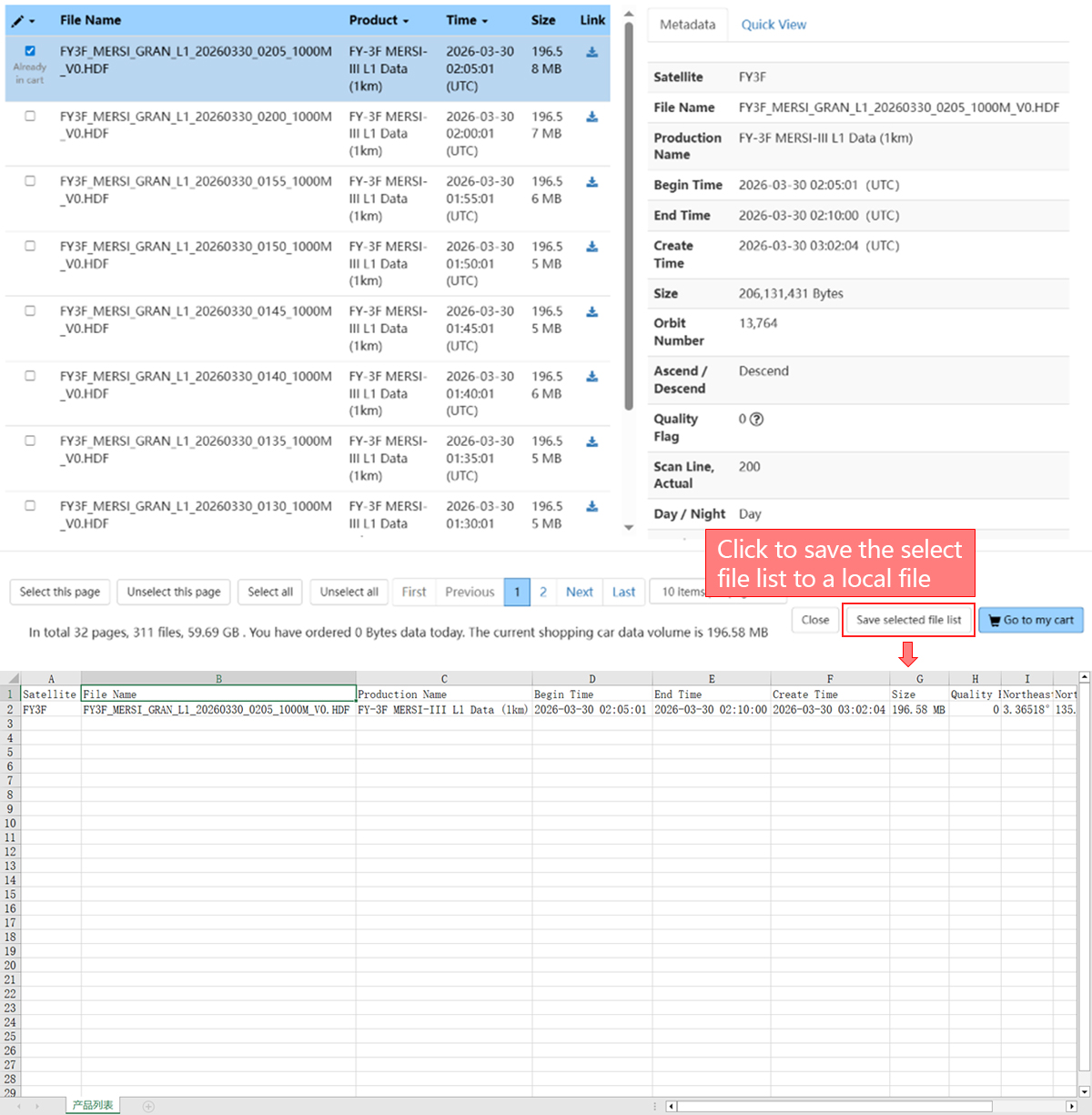
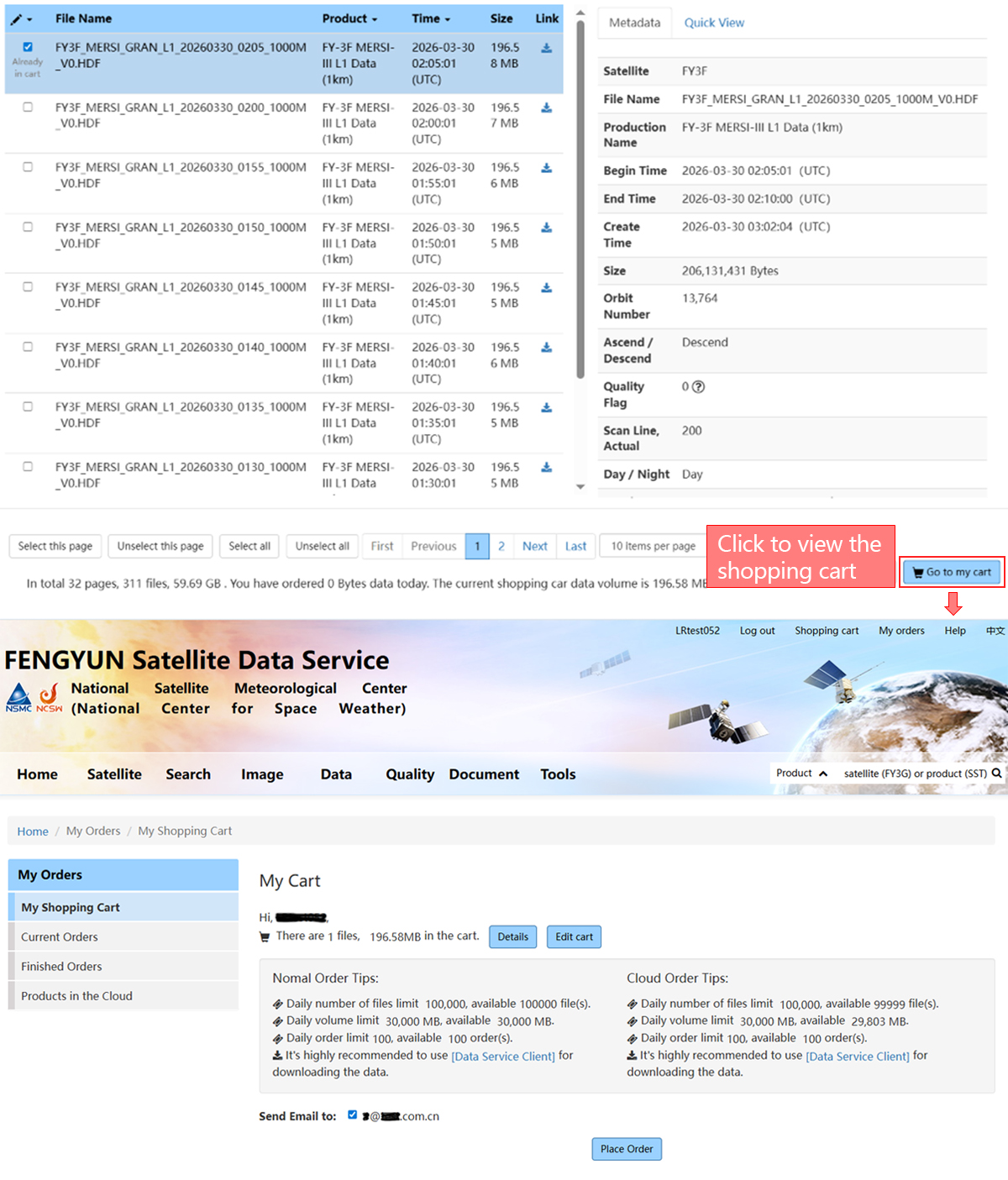
Check Shopping Cart
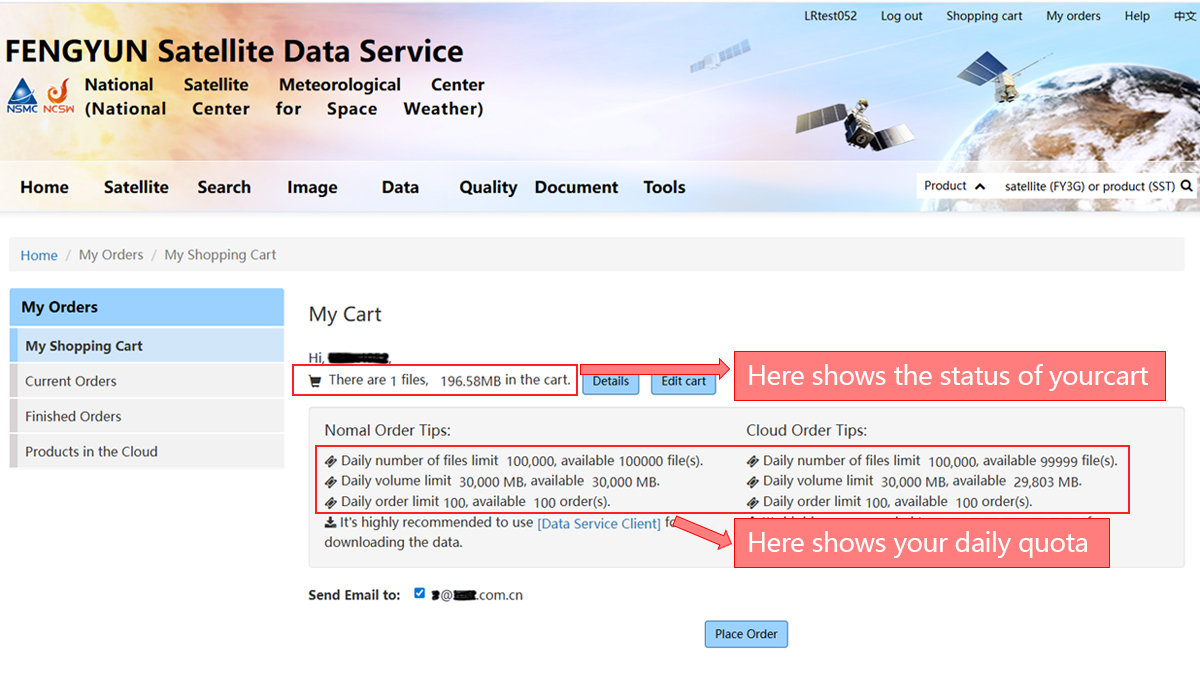
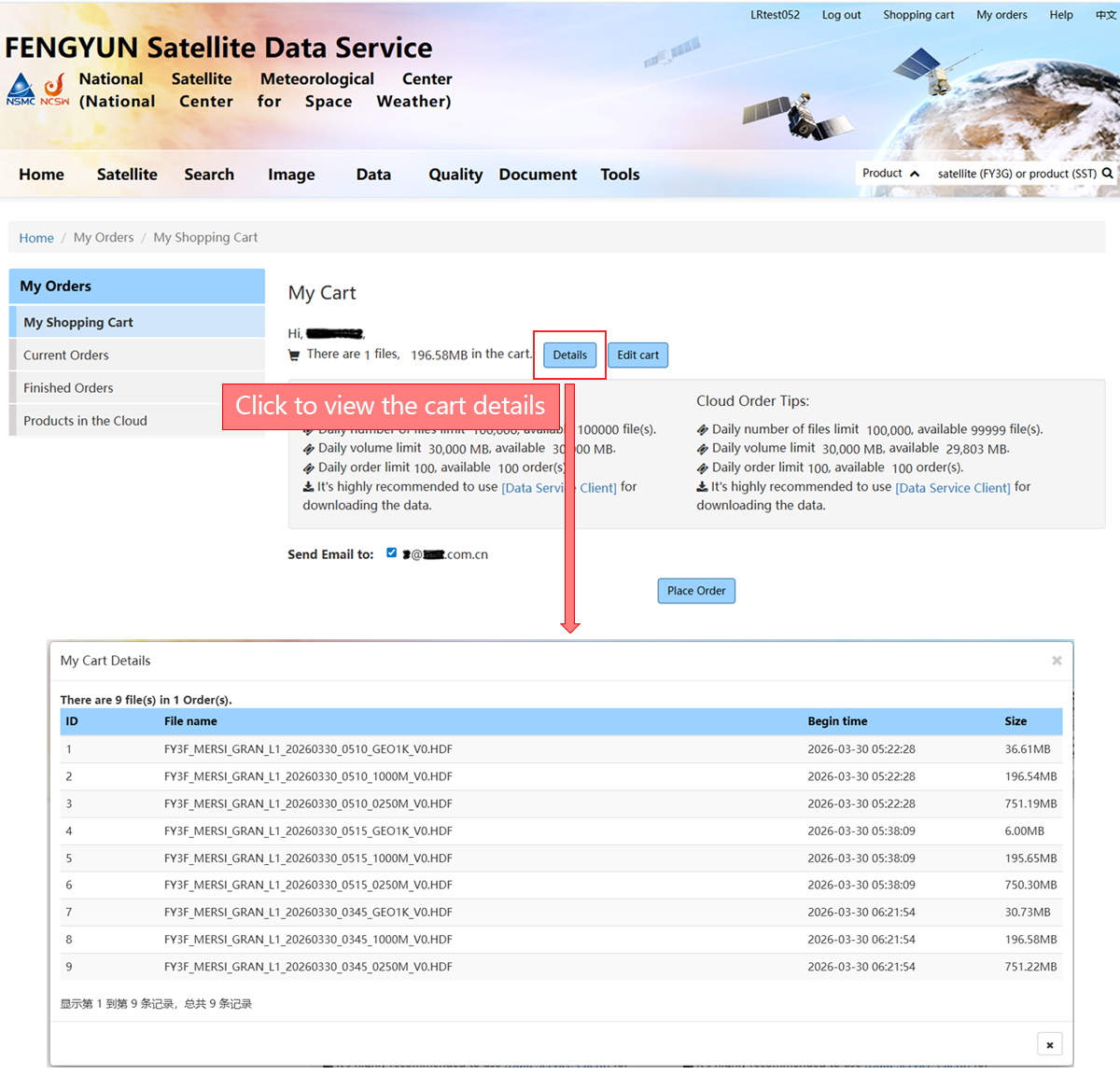
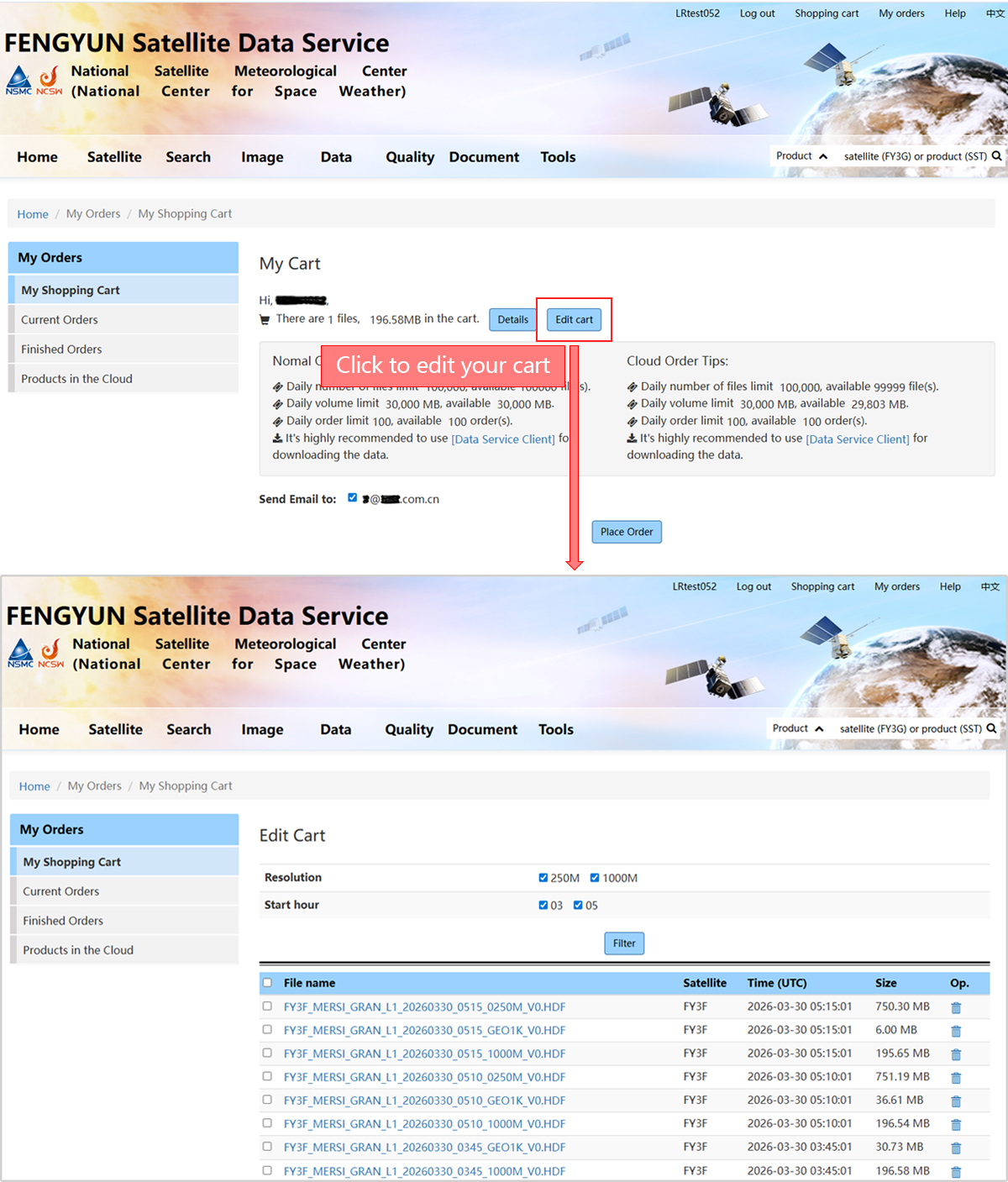
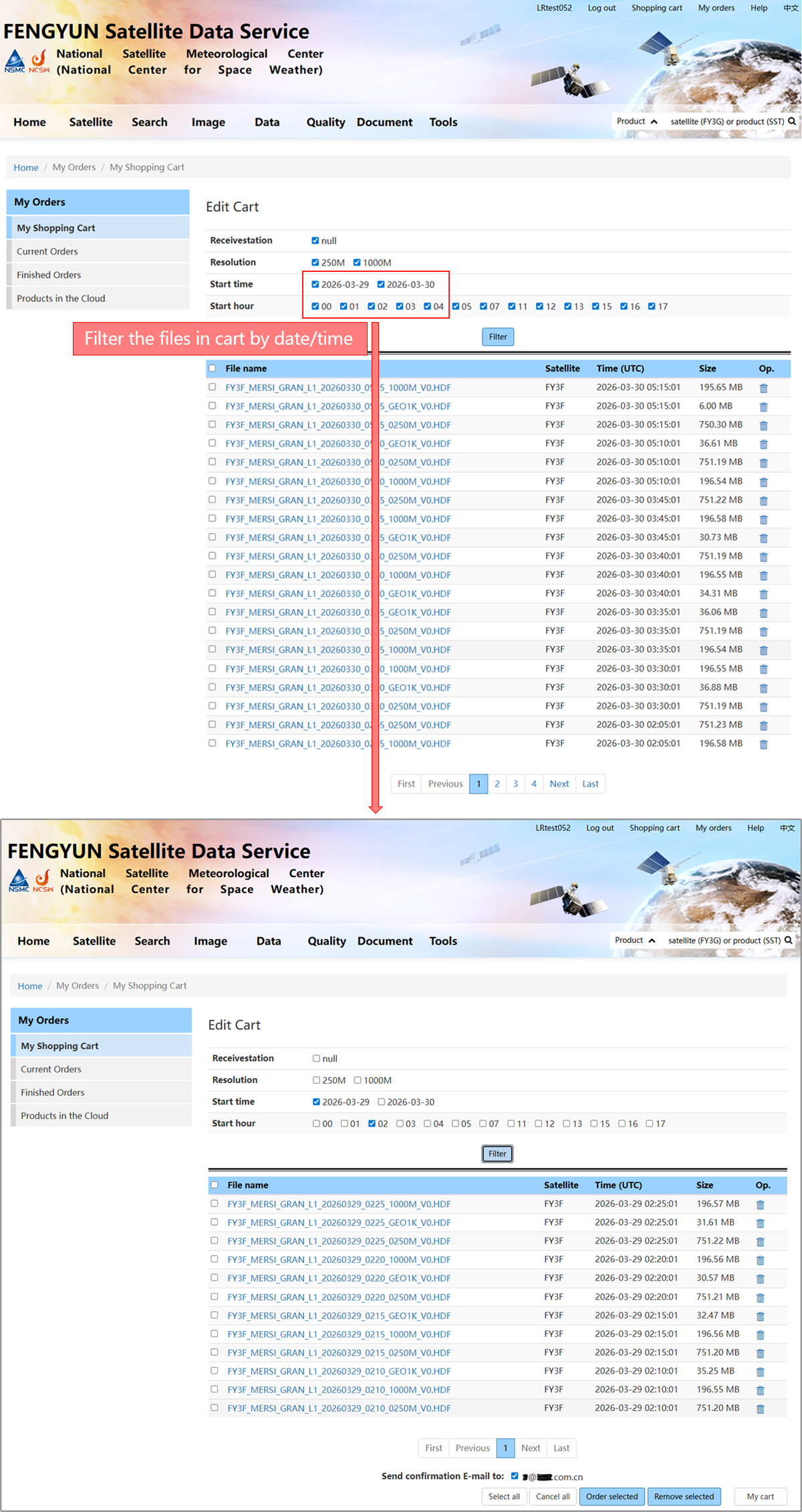
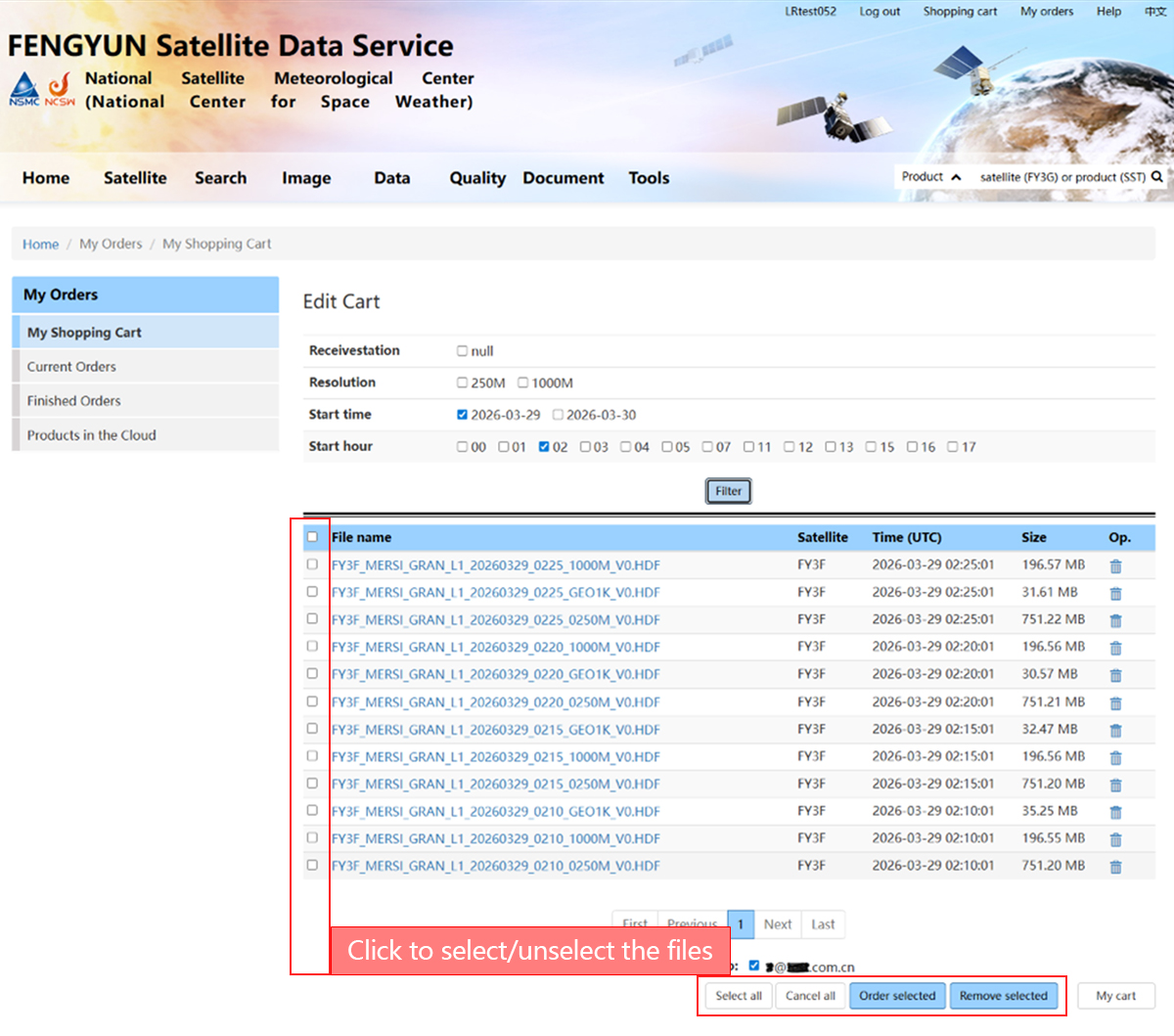
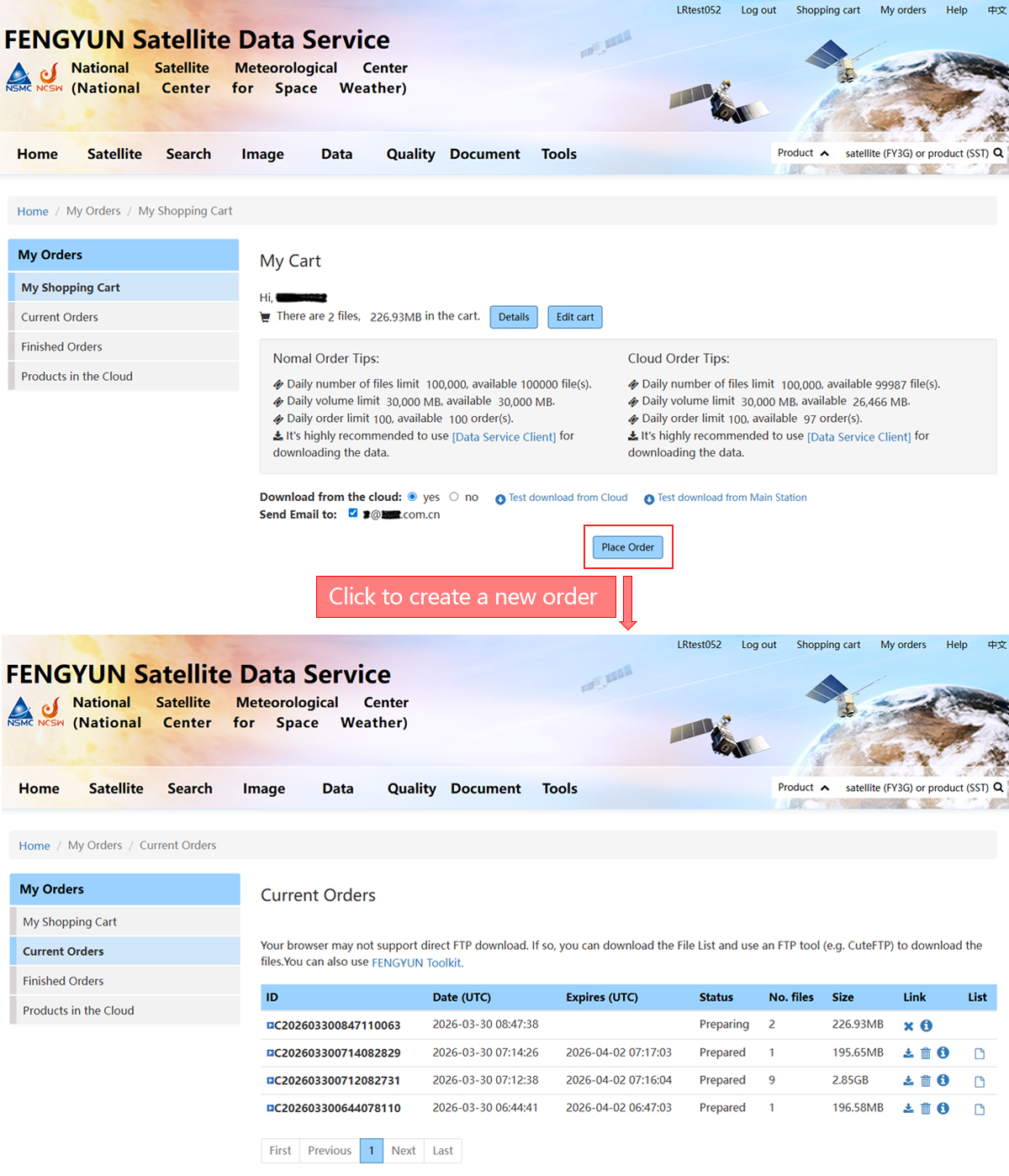
Submit Orders
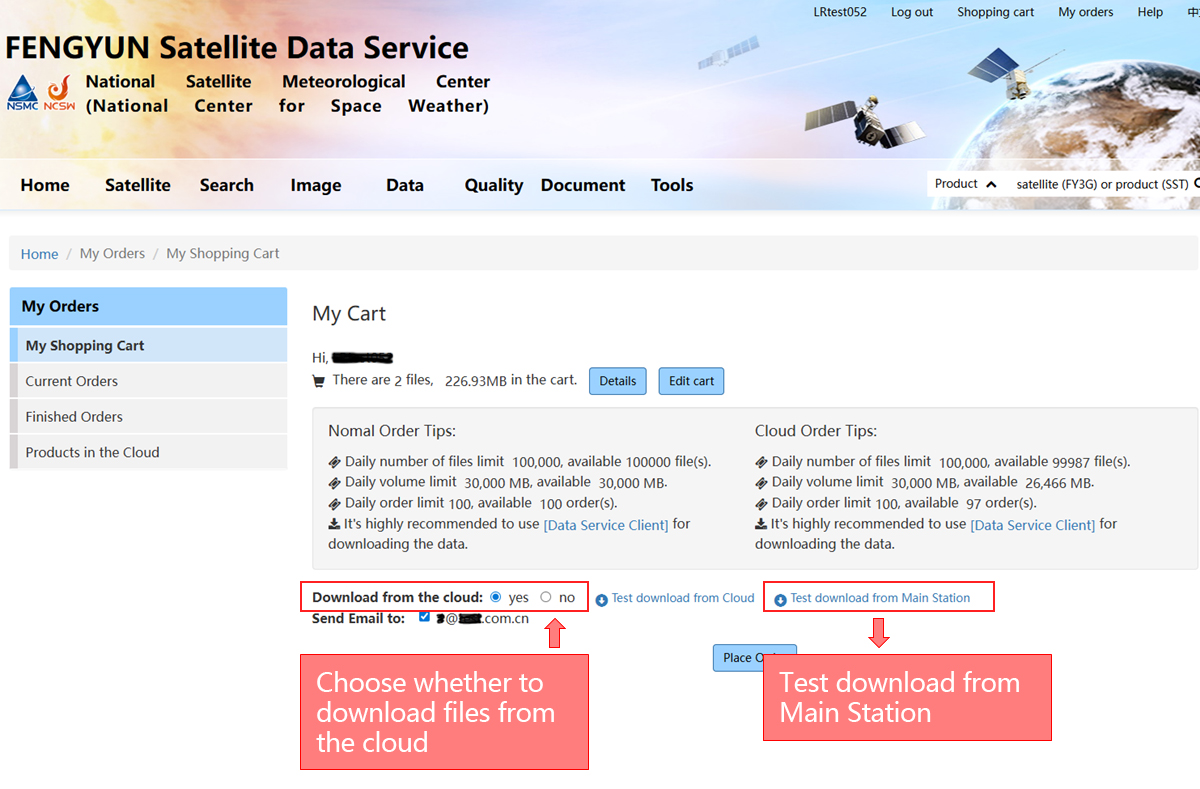
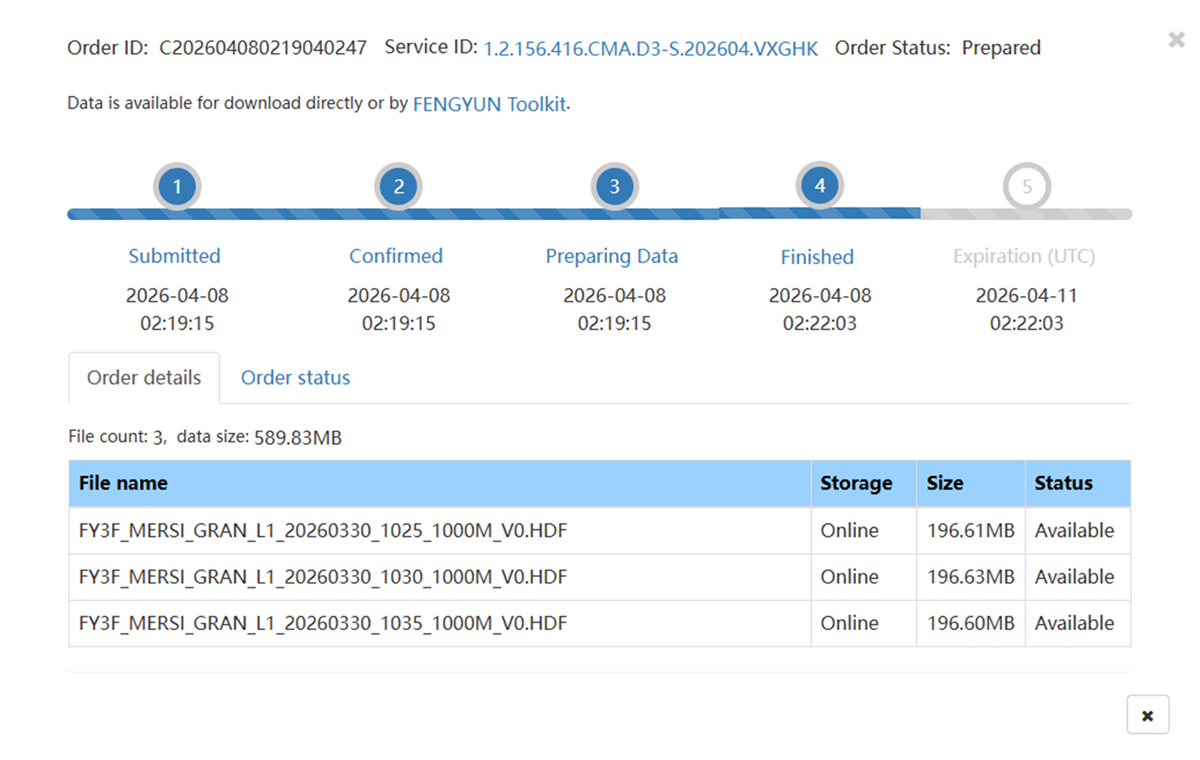
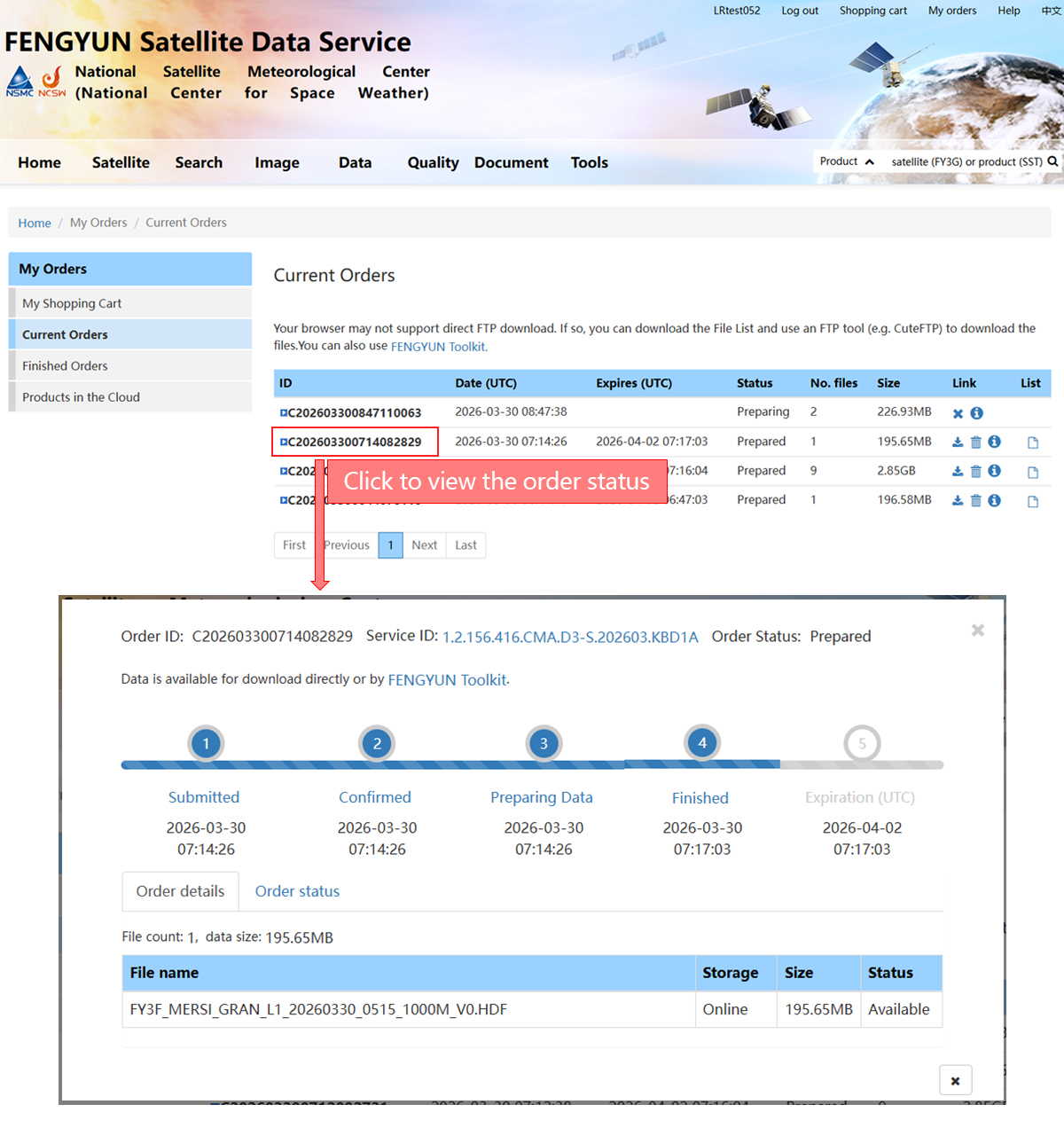
Check Order Status
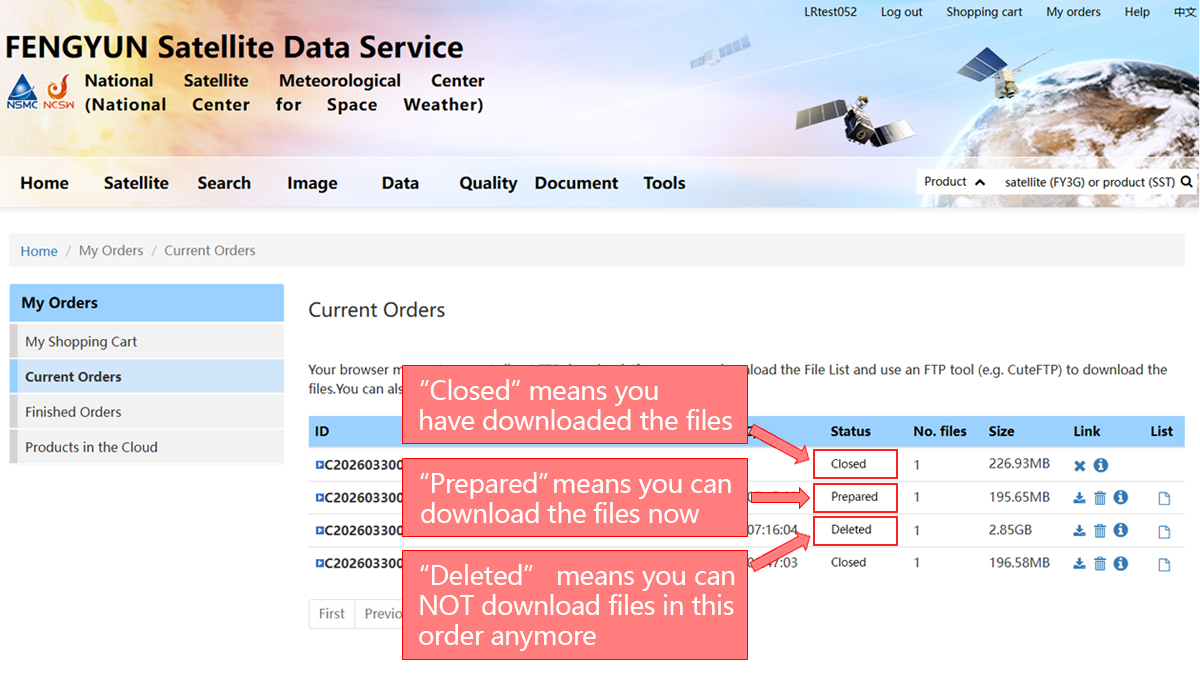
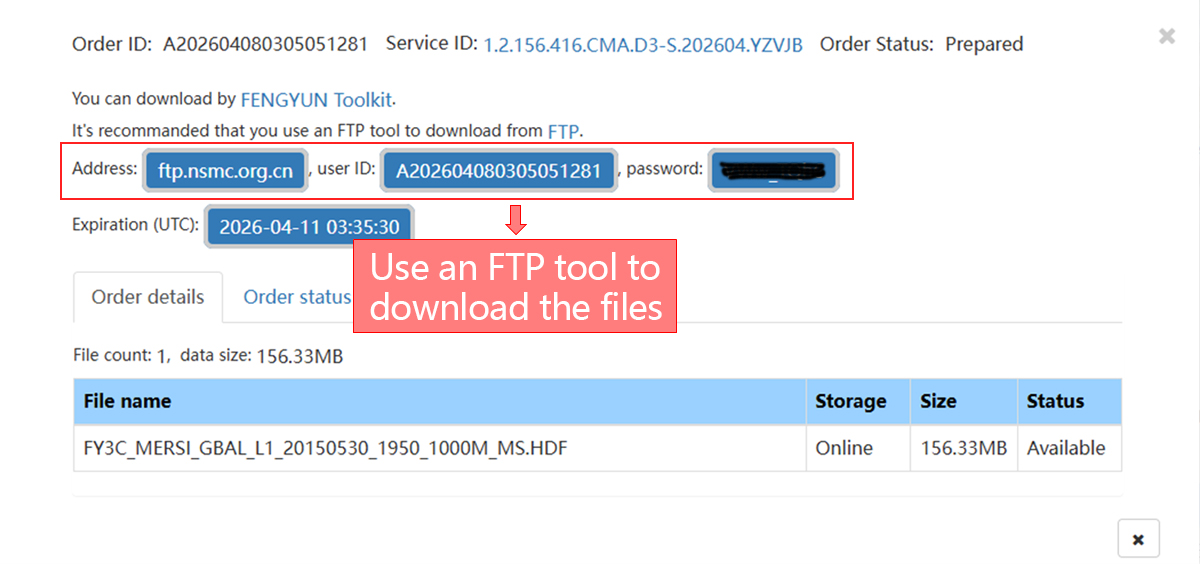
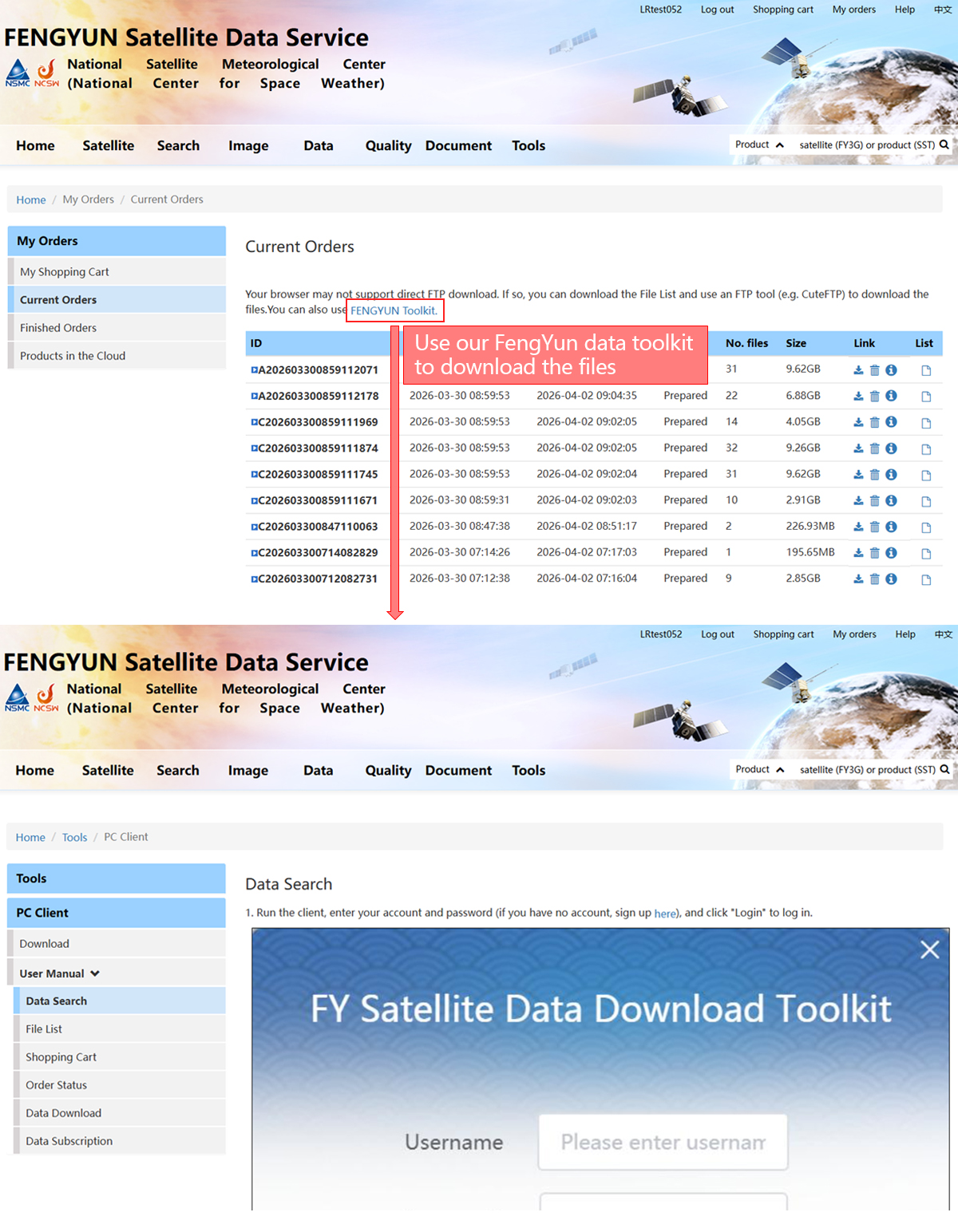
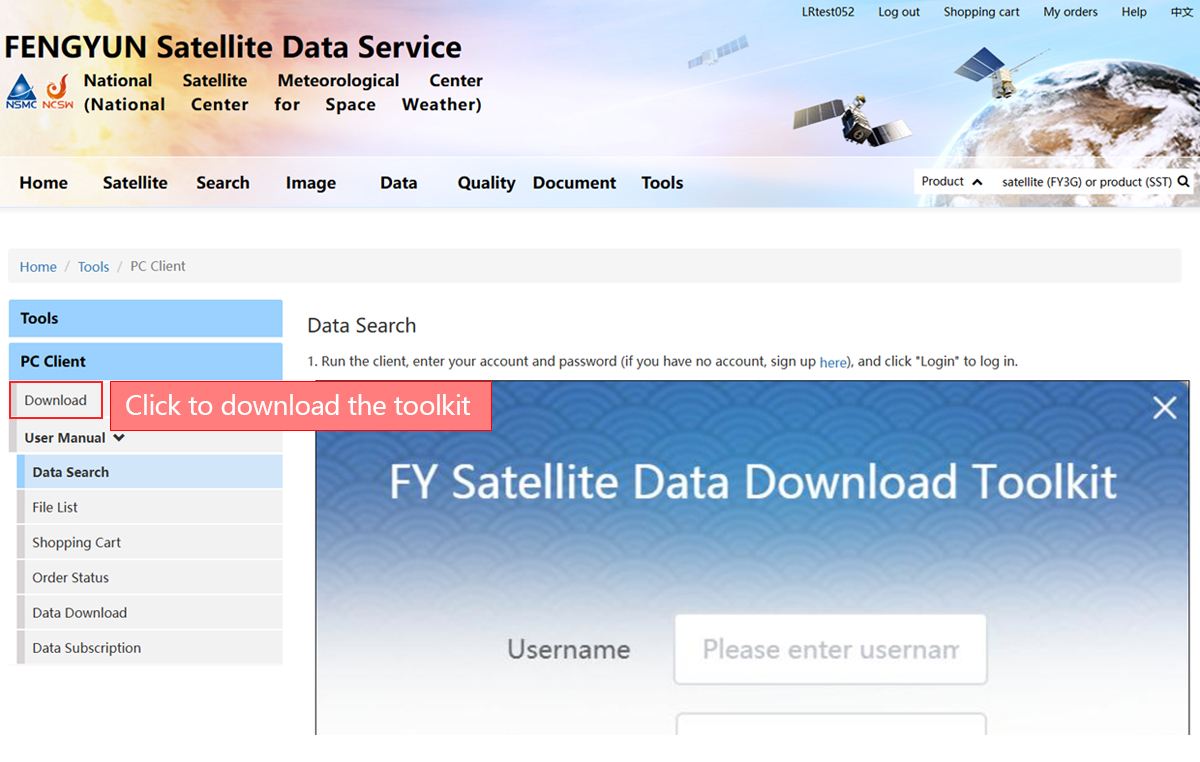
Download Files